Windows XP Windows 7 Windows 2003 Windows Vista Windows 綜合教學 Linux 系統教學
Windows 10 Windows 8 Windows 2008 Windows NT Windows Server 電腦軟體教學

Win7 右鍵「電腦」→「管理」彈出錯誤視窗?登錄修正 CompMgmtLauncher 修復

編輯:Windows 7 系統介紹

右鍵「電腦」選「管理」開啟「電腦管理」時彈出錯誤視窗,雖不影響功能但礙眼,登錄修正:

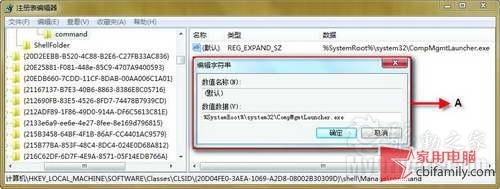
  1. regedit 定位 HKEY_LOCAL_MACHINE\SOFTWARE\Classes\CLSID\{20D04FE0-3AEA-1069-A2D8-08002B30309D}\shell\Manage\command。
  2. 右鍵右側「預設」值 → 「修改」。
  3. 將數值資料從 %SystemRoot%\system32\CompMgmtLauncher.exe 改為 mmc compmgmt.msc → 確定。
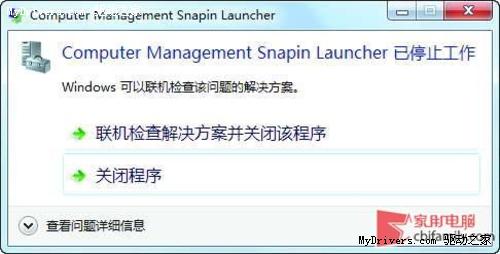
常見錯誤提示視窗

註冊表修改CompMgmtLauncher

無需重開機,再次右鍵「管理」即不再彈出錯誤。此錯誤常因系統檔案關聯異常導致。

Copyright © Windows教程網 All Rights Reserved