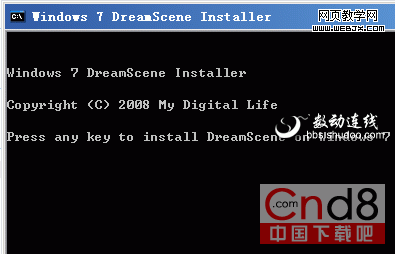
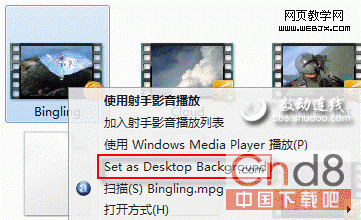
Vista 旗艦版專屬「夢幻桌面」(桌面播放視頻)在 Win 7 被移除,補丁找回:
Windows7-DreamScene.exe
DreamScene.dll
System32
explorer.exe
桌面動起來,視覺享受零成本。
Windows 7 內建磁碟管理:零成本完成分區縮減、建立、擴展全攻略
PCWorld 評選:十大最高價值 Windows 7 工具(多為免費)
Windows 7 內建「問題步驟記錄器」:輕鬆錄製操作步驟尋求遠端協助
Win7 不佔 C 槽空間安裝字體教學:使用捷徑安裝字體功能
Windows 7 桌機無法調整螢幕解析度五大排查方向
Windows 7 休眠斷網解決方案:啟用離開模式 (Away Mode) 讓下載不中斷
Win7 旗艦版安裝軟體報錯 1327「無效磁碟機 G:」 (重複文章,內容同 78828)
硬碟資料隱身術:三招原生隱藏、加密與絕對安全方案