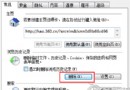
系統保護佔用磁碟空間建立還原點,若有其他備份方案可關閉:




關閉後將刪除所有還原點,無法使用系統還原功能,請確認已有備份機制。
Windows 7 睡眠狀態下讓迅雷/快車繼續下載:啟用 Away Mode 登錄表設定
Win7 自訂視窗文字背景顏色,打造護眼/高對比/個性化閱讀環境
台電隨身碟完美支援 Windows 7,內建防毒加密雙重保護數據安全
Win 7 系統還原點完整指南:建立、還原、啟動修復、映像恢復 4 大模式
Windows 7 DirectX 高保真圖形系統:Direct2D、DirectWrite、WIC、DXGI 統一架構
Win7 鎖定 IP 位址防止被修改:群組原則啟用網路連線限制、禁止存取 LAN 內容屬性