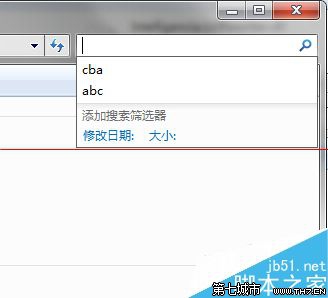
搜尋框下拉顯示歷史關鍵字想清除?用群組原則永久關閉顯示。
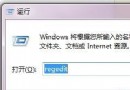
gpedit.msc
設定即時生效,搜尋框不再顯示任何歷史紀錄。注意:家用版無 gpedit.msc,需改註冊表。
Win7 系統字型調整教學:視窗標題、選單、訊息框逐項自訂字型/大小/顏色
Windows 7 睡眠喚醒後黑畫面?停用網卡「允許喚醒電腦」與 powercfg 指令排查電源狀態
Win7 修改時間提示「無法繼續 沒有權限」?工作列新增「位址」工具列快速開啟控制台
Win7 連線 VPN 卡在「驗證使用者名稱和密碼」解決方案
Windows 7 多媒體中心不只是播放器:整合影音、刻錄、電視同步與網路電視
微軟 11 月釋出 6 項安全更新,Windows 7 暫不受影響
Win7 BitLocker 解鎖後免重啟直接上鎖指令
Windows 7 與 XP/Vista 雙重開機完整教學:分區、安裝、啟動修復