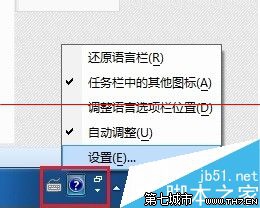
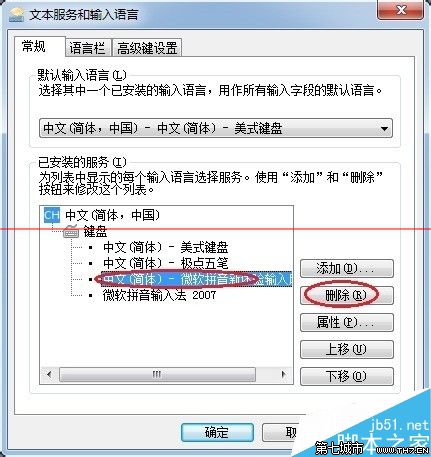
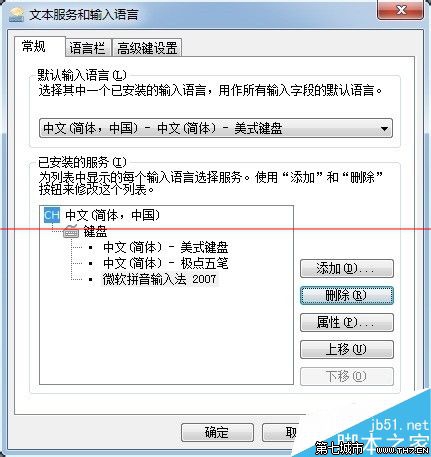
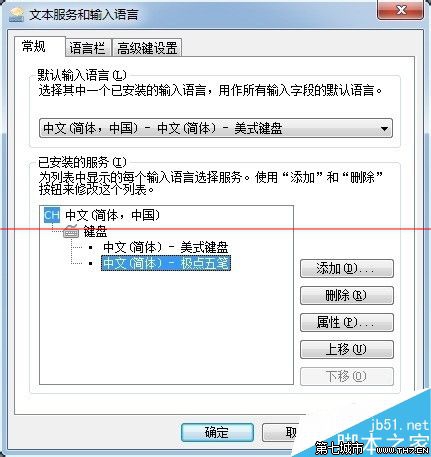
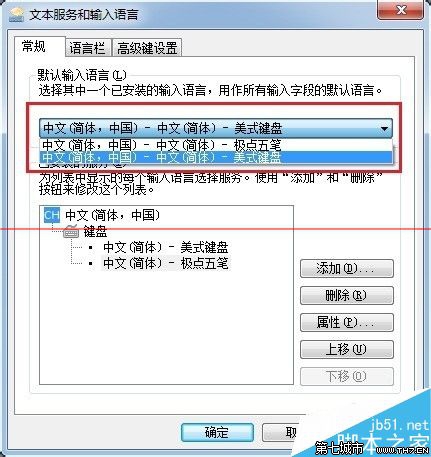
下拉選單「預設輸入語言」可指定開機預設啟用的輸入法,依個人習慣調整。
定期清理不用的輸入法,可減少切換時的干擾,提升輸入效率。
Win7 開機提示 Catalyst Control Center 已停止運作:AMD 顯卡驅動問題
Win7 有線網路頻繁斷線?教你一招停用 IPv6 徹底解決
Win7 加速全攻略第六彈:犧牲特效換效能、關閉虛擬記憶體、上閃存盤 (ReadyBoost/Intel Smart Response) 綜合優化
Windows 7 建立「強制關閉無回應程式」捷徑:一鍵結束當機應用程式
Windows 7 播放網頁影片 (Flash/線上電影) 無聲音?登錄表修復 wavemapper 映射解決方案
Windows 7 共享資料夾離線功能深度解析:原理、用途、同步衝突處理與容量管理