使用命令提示字元 copy 指令可快速批次複製檔案,支援複製時同步重新命名,適合不想開啟圖形介面的大量檔案操作。
cmd。copy C:\test.txt D:\(將 C 槽 test.txt 複製到 D 槽根目錄)。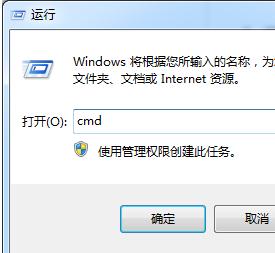
copy C:\test.txt D:\test2.txt → 複製到 D 槽並命名為 test2.txt。
搭配萬用字元:copy C:\*.txt D:\(複製所有 .txt 檔)。更複雜的批次操作建議使用 xcopy 或 robocopy(支援多執行緒、斷點續傳、鏡像同步等進階功能)。
robocopy C:\Source D:\Dest /E /Z /R:3 /W:5 /MT:8 為常用高效參數組合。