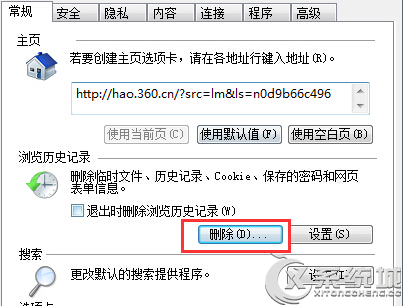
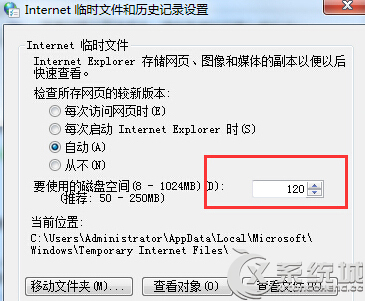
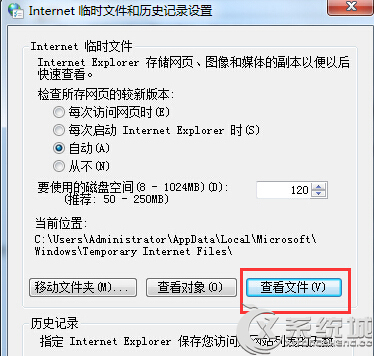
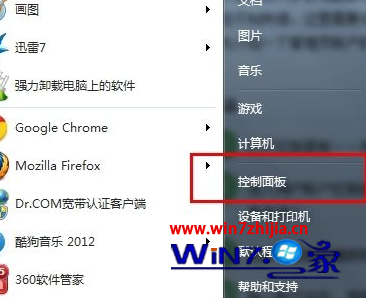
網路正常但網頁版面破碎、圖片不顯示,多半是 IE 暫存檔空間不足或快取損壞。
完成後重新整理網頁,版面應恢復正常顯示。
Windows 7 隱藏亮點:多點觸控、跳躍清單、Aero Shake 全解析
Win7 資料夾右鍵選單出現亂碼?控制台語言設定或登錄修正 ANSI/OEM 字碼頁
關閉 Windows 7 Aero 透明特效與拖曳視窗透明框教學
我安裝的 Win7 會黑屏嗎?微軟正版驗證機制與盜版風險說明
Win7 無法玩 QQ 遊戲修復:TesSafe.sys 處理法
Win7 安裝列印伺服器完整圖文教學(支援 TP-Link 單功能模組)
Windows 7 桌面圖示藍底/陰影去除雙重解法
Windows 7 五大常見故障快速修復:DVD音訊、MovieMaker、XP Mode、Media Center、系統錯誤記錄