適用場景
個人專用電腦、無敏感資料、追求極致開機速度、不想輸入密碼等待。
操作步驟
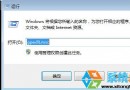
- Win+R → 輸入
control userpasswords2 → Enter。
- 取消勾選 「要使用這台電腦,使用者必須輸入使用者名稱和密碼」**。
- 確定 → 輸入當前使用者密碼確認 → 重啟驗證直接進入桌面。
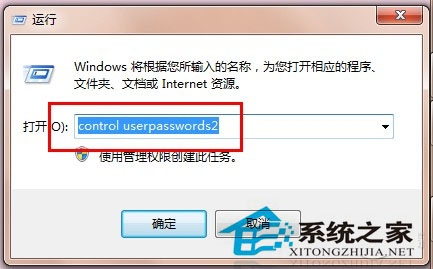
圖 1:取消勾選密碼要求
安全性警示
- ⚠ 任何人有實體存取權即可進入系統,不適用共用/攜帶/含敏感資料電腦。
- ⚠ 遠端桌面連線仍需密碼驗證 (網路層面驗證獨立)。
- ⚠ BitLocker 加密系統碟可緩解實體存取風險 (開機前需輸入 PIN/USB 金鑰)。
替代方案
- PIN 碼登入 (Win8/10 原生,Win7 需第三方)。
- 指紋/臉部辨識 (需硬體支援)。
- 自動登入 + 螢幕保護程式密碼保護 (離開自動鎖定)。