Windows 7 桌面捷徑預設左下角有小箭頭標識,許多使用者希望移除以美化桌面。本文提供兩種主流方法:刪除註冊表 IsShortcut 值(傳統法)與替換透明圖示法(較完美,不影響功能)。
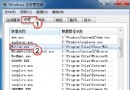
regedit。HKEY_CLASSES_ROOT\lnkfile → 刪除右側 IsShortcut 字串值。HKEY_CLASSES_ROOT\piffile → 刪除 IsShortcut。explorer.exe 或重新登入。缺點: 會導致「資源管理器」左側「收藏夾」無法展開、某些捷徑功能異常。
.ico 檔案(如 Empty.ico),放置於 C:\Windows。RemoveArrow.reg)內容如下:Windows Registry Editor Version 5.00
[HKEY_LOCAL_MACHINE\SOFTWARE\Microsoft\Windows\CurrentVersion\Explorer\Shell Icons]
"29"="C:\\Windows\\Empty.ico,0"
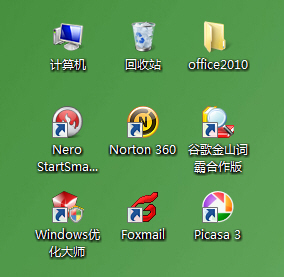
小箭頭消失,收藏夾等功能正常運作。若需恢復,刪除該註冊表鍵值即可。
不建議: 使用 shell32.dll 內建透明圖示(索引不固定)、刪除 IsShortcut(破壞功能)。