升級安裝 Win10 後,`C:\Windows.old` 佔用 5-20 GB 空間 (含舊系統/程式/使用者資料)。確認新系統穩定、無需回滾後,可用內建「磁碟清理」安全移除。
操作步驟
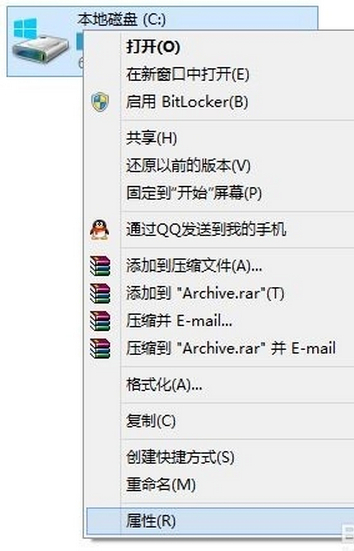
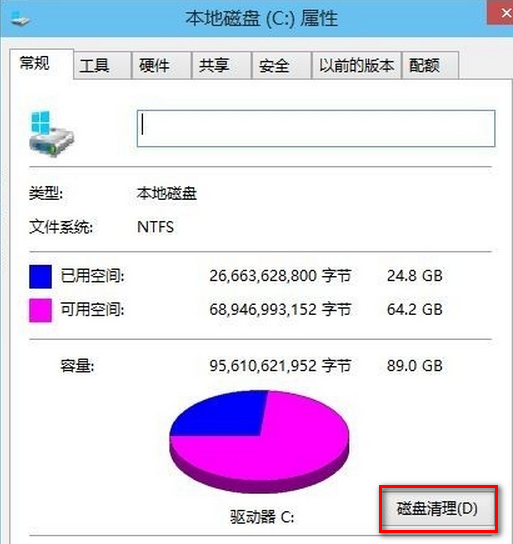
- 「這台電腦」→ 右鍵 C: →「內容」→「磁碟清理」。
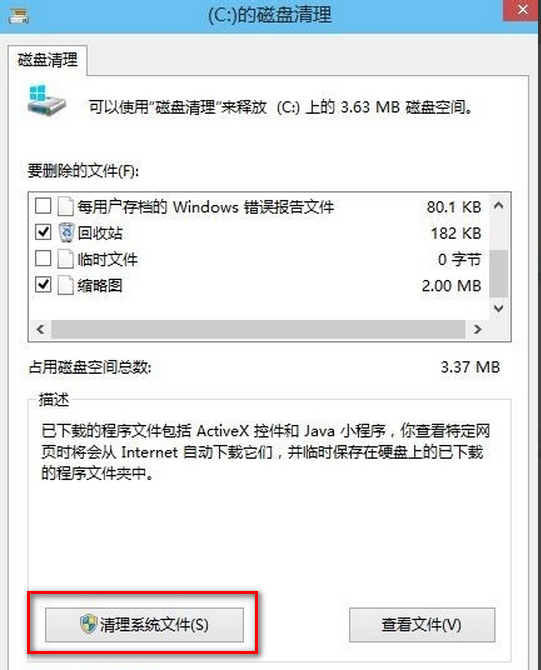
- 掃描完成 → 點擊「清理系統檔案」→ 再次掃描 (需管理員權限)。
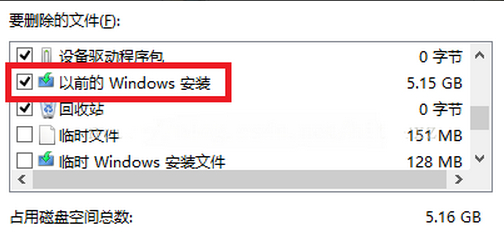
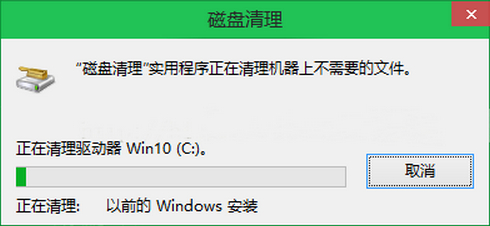
- 列表中勾選**「以前的 Windows 安裝」** (即 Windows.old) →「確定」→ 確認刪除 → 等待完成 (視大小耗時數分鐘)。
關鍵提醒
- **刪除後無法使用「回復到先前版本」功能** (30 天回滾權利喪失)。
- 建議:升級穩定運行 1-2 週、關鍵軟體/遊戲驗證相容無誤後再清理。
- 同介面可勾選「暫存檔案」、「回收站」、「縮圖快取」等進一步釋放空間。