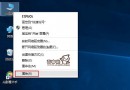
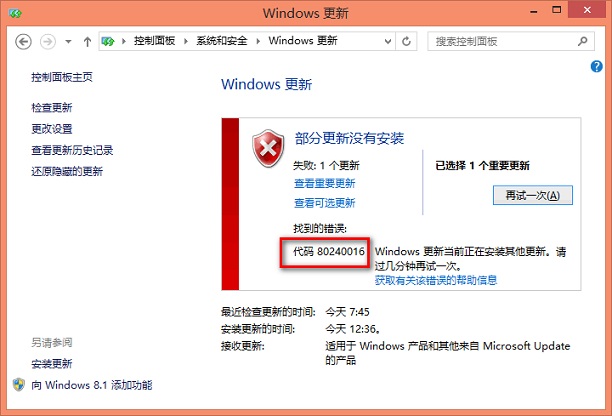
執行 Windows Update 時出現錯誤代碼 80240016(或 0x80240016),意指 Windows Update 無法存取使用者權杖。常見於長時間未重開機、自動更新背景執行衝突、權杖過期。微軟官方建議透過重啟 `wuauserv` 服務重置權杖解決。
net stop wuauserv
net start wuauserv
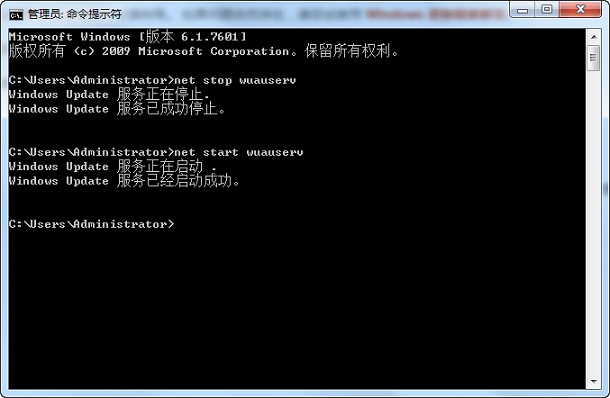
exit 關閉視窗以系統管理員身分開啟 PowerShell,依序執行:
net stop wuauserv
net stop bits
net stop cryptsvc
ren C:\Windows\SoftwareDistribution SoftwareDistribution.old
ren C:\Windows\System32\catroot2 catroot2.old
net start wuauserv
net start bits
net start cryptsvc
此組合可重建軟體發佈資料夾與憑證資料庫,解決多數頑固更新錯誤。執行後重新開機再試。
電腦桌面美化:Winstep Nexus 打造 Mac 風格 Dock + 隱藏工作列/桌面圖示 + 高顏值壁紙
Windows 10 效率神技大全:分割螢幕、任務檢視、虛擬桌面、必學快速鍵
Win10 查看 MAC 地址雙法:設定介面圖形化與 ipconfig 指令極速查詢
Win10 設定靜態 IP 完整教學:IP/子網路遮罩/預設閘道/DNS 一次搞定
360 安全衛士升級 Win10 圖文教程:嚴格檢測、風險預警、一鍵托管
Win10 怎麼鎖定螢幕?Win+L 快捷鍵或開始選單帳號選單兩種快速鎖屏方法
QQ 分組字體顏色怎麼改?晨風透明皮膚修改器一鍵自訂分組顏色教學
Win10 怎麼在「主頁」資料夾加入「程式庫」?修改註冊表 DelegateFolders 找回 Win7 風格管理體驗