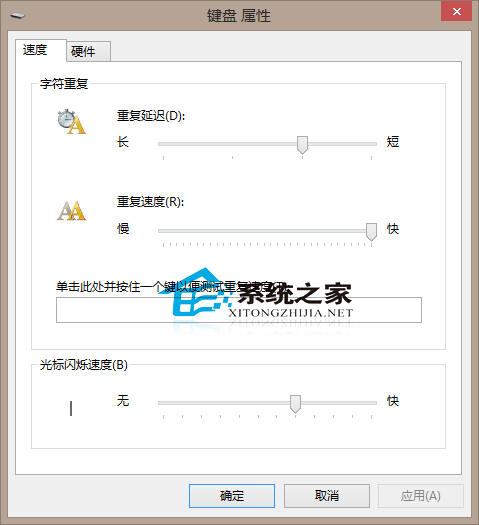
文字游標閃爍速度可依個人視覺習慣調整,Windows 10 設定路徑如下:
建議:除非有特殊需求(如視覺障礙輔助),預設速度通常最適合一般使用。過快閃爍易導致眼睛疲勞。
Win10 音量忽大忽小?聲卡驅動被覆蓋,用驅動人生一鍵修復
Win10 KB3124200 更新報錯 8024401a?官網手動下載安裝
Windows 10 十大隱藏實用功能:工具列網址列、儲存空間分析、Clutter 郵件篩選、Cortana 關閉等
Win10 開始菜單打不開?任務管理器重啟「桌面窗口管理器」秒修復
Win10 應用商店無法安裝應用?wsreset 清除快取一鍵修復
Windows 10 原生「列印為 PDF」功能:任意檔案一鍵轉 PDF,無需第三方工具
Win10 更新錯誤 0x80070006-0x2000C 解決方案:系統配置診斷啟動禁用非微軟服務後重試升級
Win10 禁止安裝軟體完整設定教學:本機群組原則一鍵封鎖