升級 Windows 10 後 C 槽空間暴跌?定期清理可回收大量空間:
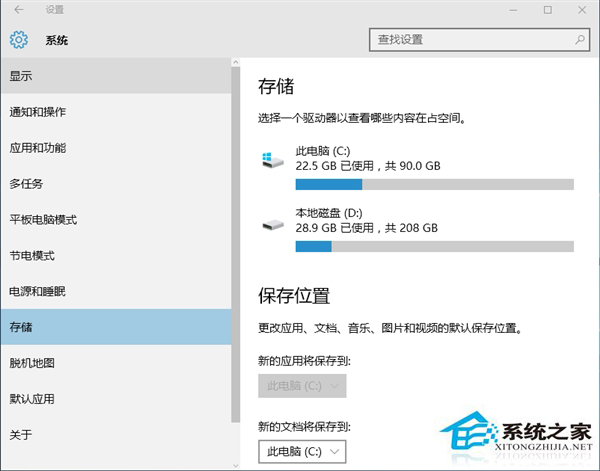
右鍵桌面回收站圖示 → 「清空回收站」。或「設定」 → 「系統」 → 「儲存體」 → 「此電腦」 → 「暫存檔案」 → 勾選「回收站」 → 「移除檔案」。
同樣在「儲存體」 → 「暫存檔案」頁面,勾選 「暫存檔案」、「下載資料夾」 → 「移除檔案」。暫存檔包含文件編輯緩存、應用程式快取、列印佇列等,可安全刪除。
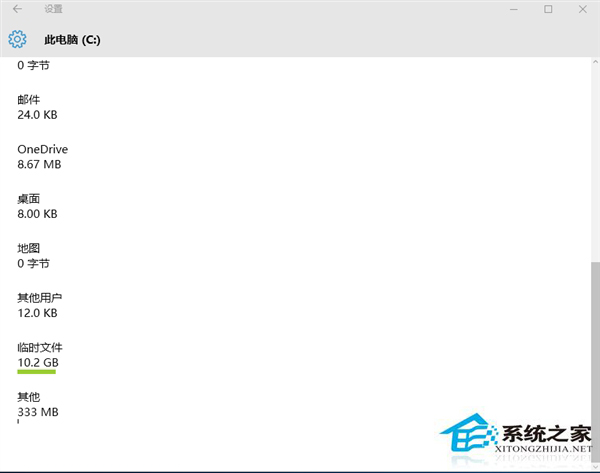
「暫存檔案」中勾選 「Windows 更新清理」(需系統掃描片刻),可刪除已安裝更新的備份檔案,常能回收數 GB 空間。
「儲存體」頁面開啟 「儲存空間感知」,系統將自動在空間不足時清理回收站、暫存檔、舊版本 Windows 等。
檔案總管右鍵資料夾 → 「內容」 → 「位置」 → 「移動」選擇 D/E 槽資料夾。
組合使用上述方法,C 槽空間長期保持寬裕。