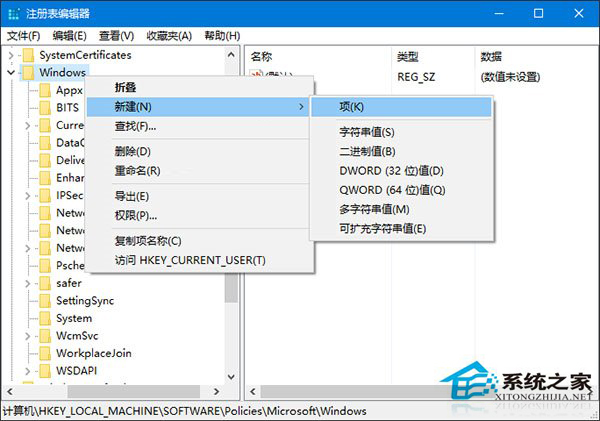
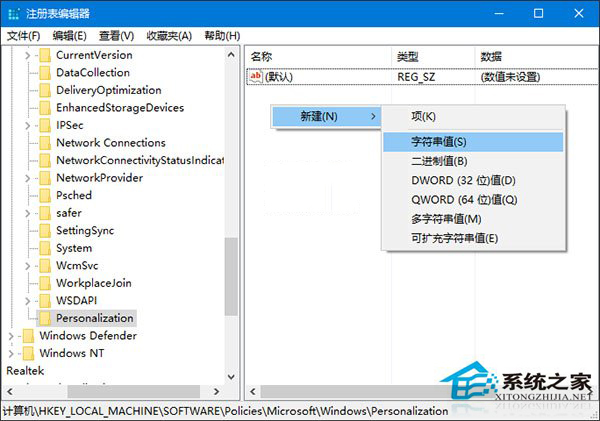
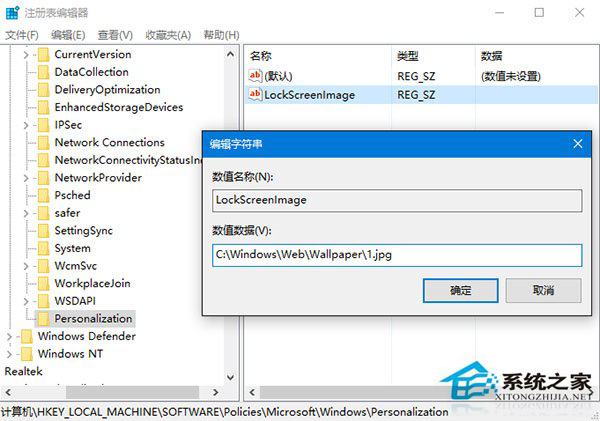
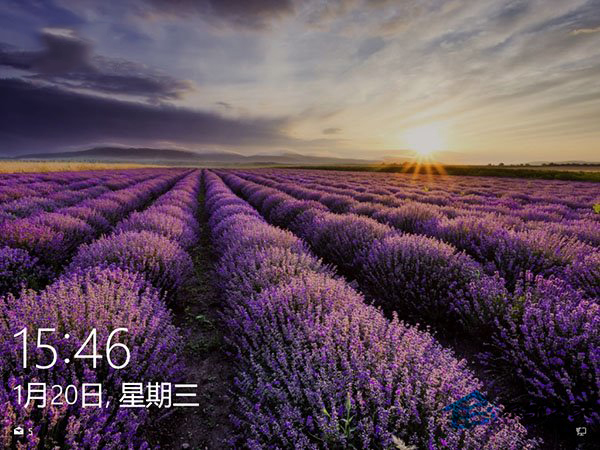
設定介面僅能更換登入後的鎖定畫面壁紙,登入前(預設)壁紙需透過註冊表指定路徑覆寫。
regedit
HKEY_LOCAL_MACHINE\SOFTWARE\Policies\Microsoft\Windows\
LockScreenImage
此法不影響使用者自訂的登入後鎖定畫面設定。
Win10 開啟資料夾選項兩種快速方法
Win10 系統優勢全解析:升級 Win10 的五大核心理由
Win10 Build 9860 介面文字缺失/顯示不全?安裝 KB3008956 更新修復字型回退機制
Windows 10 桌面圖標變大、顯示異常?一鍵更新顯卡驅動完美解決
Win10 安裝時找不到 boot.wim?錯誤代碼 0x80070002 完整解決流程
Windows 10 內建造字工具:「私用字元編輯程式」快速啟用指南
Win10 DNS 伺服器未回應?五大修復法:服務啟動、Winsock 重置、網卡設定、360/騰訊修復、DNS 快取
Windows 10 設定開機密碼三種模式教學 (字元密碼、圖片密碼、PIN 碼)