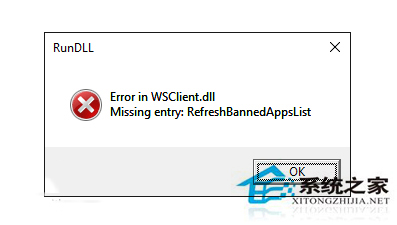
升級預覽版 11099 後出現 WSClient.dll 彈窗,因 WSRefreshBannedAppsListTask 任務導致,停用該任務即可解決。
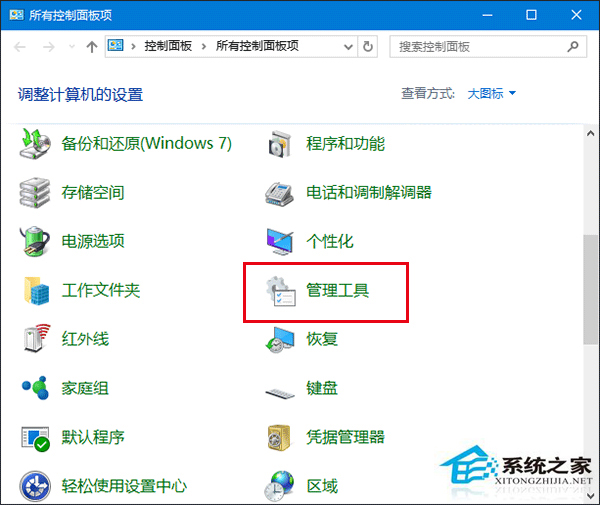
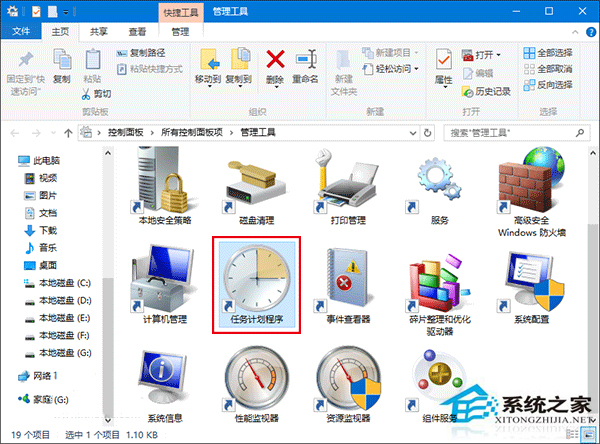
工作排程器程式庫 → Microsoft → Windows → WS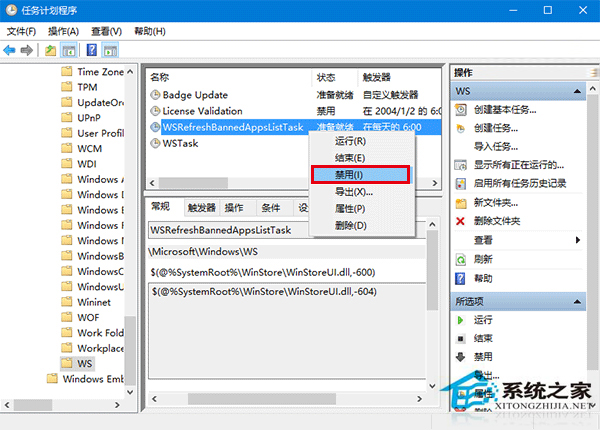
該任務停用後,WSClient.dll 彈窗即不再出現。
Win10 10056 透過 Windows Update 升級 10061:修改登錄 SelfHost 設定
Win10 關閉檔案總管 OneDrive 廣告列:官方無回應,用戶不滿
Win10 如何加入 Windows 測試人員計畫,獲取 Insider Preview 會員版本
Win10 IE 瀏覽器跳出「伺服器正在執行中」?停用「背景智慧型傳輸服務」即可解決
Win10 寬帶連線錯誤 720 解決:ISP 伺服器故障聯繫客服、TCP/IP 損毀移除更新補丁 893066/890923 或重開機多撥幾次
Win 10 將「執行」固定到開始功能表:利用 CLSID 建立捷徑再釘選
Win10 Windows Update 下載緩慢、卡頓?重置更新服務元件加速
Win10 更新後開機變慢?四大優化方案:msconfig 啟動項/引導進階/虛擬記憶體/快速啟動,不裝 360 也能秒開機