Windows XP Windows 7 Windows 2003 Windows Vista Windows 綜合教學 Linux 系統教學
Windows 10 Windows 8 Windows 2008 Windows NT Windows Server 電腦軟體教學

Win 10 將「執行」固定到開始功能表:利用 CLSID 建立捷徑再釘選

編輯:Win10 系統應用技巧

「執行」(Win+R) 是高頻工具,預設不在開始功能表。利用其 CLSID {2559a1f3-21d7-11d4-bdaf-00c04f60b9f0} 建立捷徑,即可釘選到開始磚貼/清單。
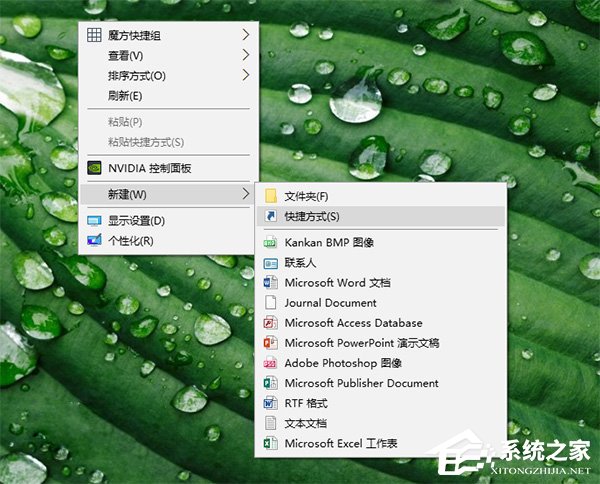
步驟

  1. 桌面右鍵 → 新增 → 捷徑。
    新增捷徑
  2. 位置輸入:
    explorer shell:::{2559a1f3-21d7-11d4-bdaf-00c04f60b9f0}
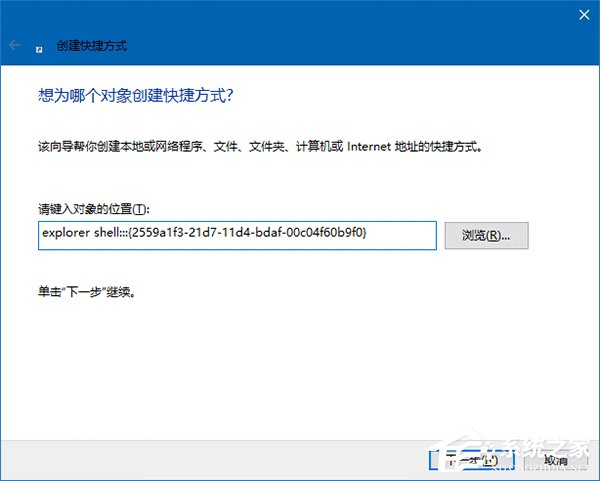
    捷徑目標指令
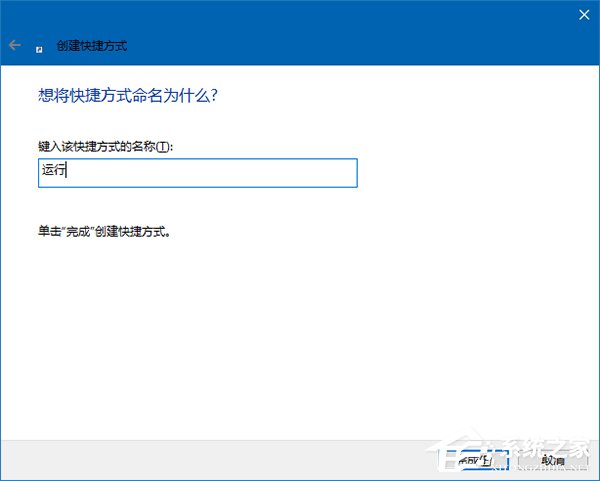
  3. 命名(如「執行」),完成。
    命名捷徑
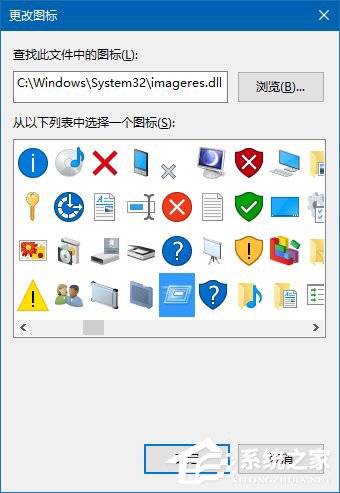
  4. 可換圖示:C:\Windows\System32\imageres.dll 內挑選。
    更換圖示
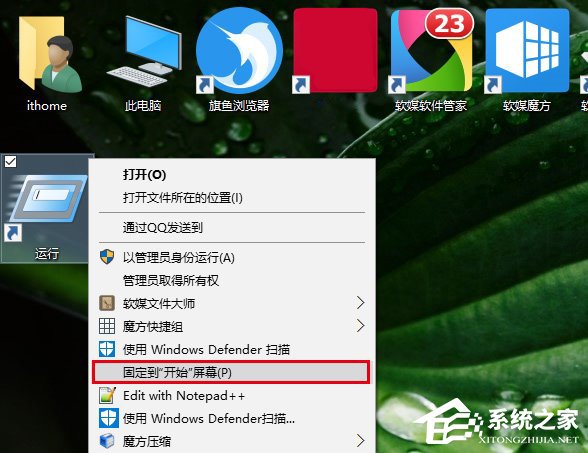
  5. 捷徑右鍵 → 釘選到「開始」畫面。
    釘選到開始
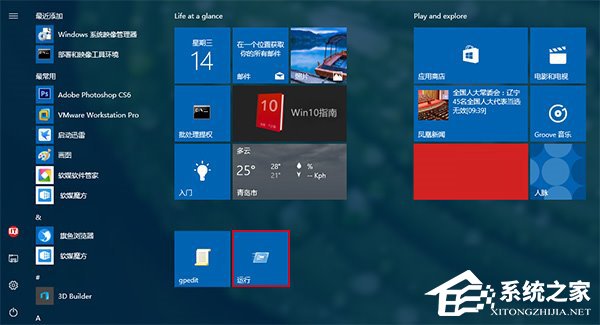
    開始磚貼顯示

補充

同理可釘選「群組原則」(C:\Windows\System32\gpedit.msc) 等系統工具:檔案右鍵直接選「釘選到開始畫面」。

Copyright © Windows教程網 All Rights Reserved