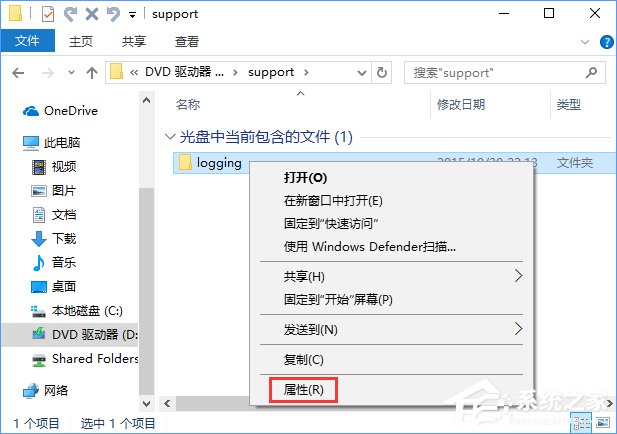
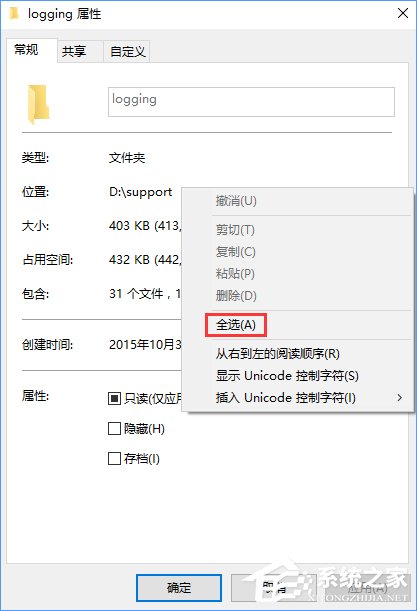
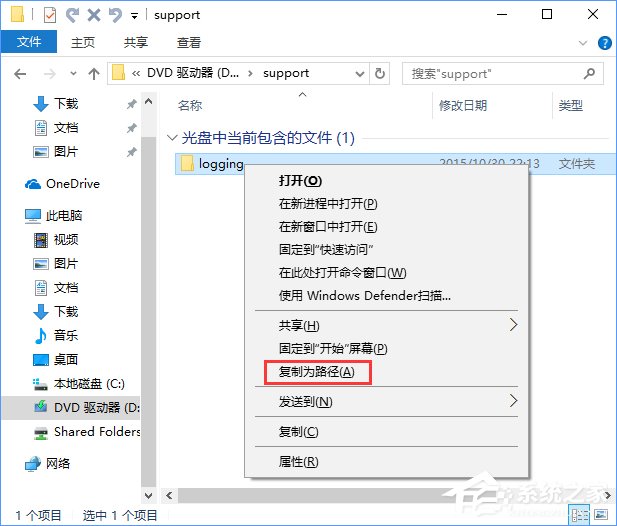
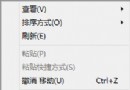
手動輸入路徑易出錯。Win 10 提供兩種零設定快速取得完整路徑:右鍵「內容」複製「位置」、或按住 Shift 右鍵選「複製為路徑」。
Win10 使用 cipher 指令徹底抹除硬碟已刪除檔案
Windows 10 從「這台電腦」快速開啟控制台三步驟
Win10 預設瀏覽器找不到 Edge 選項?透過控制台「預設程式」快速設定
Win10 藍牙傳檔教學:fsquirt 指令快速開啟傳輸視窗
Win10 禁止 QQ 開機自動啟動?三種方法:360 優化、工作管理員、QQ 設定內關閉
Win10 IE 瀏覽器假死、卡頓怎麼解決?清除快取 + 重置 Winsock 目錄雙重修復
Windows 10 系統檔案檢查器 (SFC) 修復指南:避免重裝系統
Windows 10 應用商店打不開、閃退?兩大官方修復方案完整教學