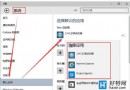
系統檔案損壞導致藍畫面、功能異常時,不必急著重灌。Windows 內建「系統檔案檢查器」可掃描並自動修復受損系統檔案。
sfc /scannow 並按 Enter。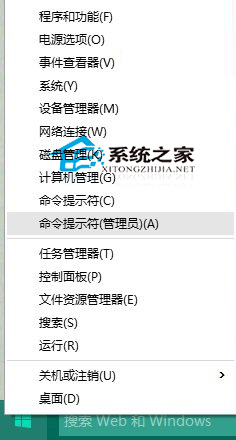
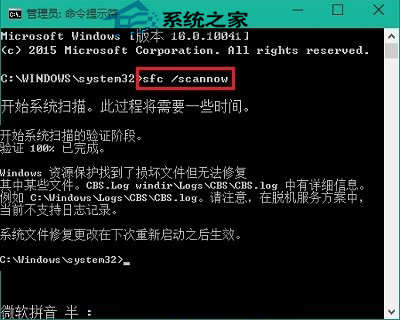
結果解讀:
• 「Windows 資源保護未找到任何完整性違規」:系統檔案正常。
• 「找到損毀檔案並成功修復」:問題已解決。
• 「找到損毀檔案但無法修復」:需進入 WinRE 執行 sfc /scannow /offbootdir=C:\ /offwindir=C:\Windows,或使用 DISM 指令修復元件存放區,最終手段才考慮重裝。
延伸閱讀:快速啟動異常可透過群組原則修復,另一文詳述。
Windows 10 Feedback Hub 回饋功能完整使用教學:直接向微軟回報問題與建議
Win10 開機提示缺少 mfc110u.dll:安裝 Visual C++ 2012 執行階段解決
Win10 小娜 (Cortana) 連不上網路?重置 Winsock 目錄 + 檢查 IPv4 設定修復
Win10 Build 9860 啟用「資料流量感知」:監控每個應用程式的網路用量
Win10 調整全域文字、應用程式與項目大小 (縮放與版面配置):不只放大鏡
Win10 遊戲/程式提示缺少 xinput1_3.dll 解決:安裝 DirectX 執行階段