Windows XP Windows 7 Windows 2003 Windows Vista Windows 綜合教學 Linux 系統教學
Windows 10 Windows 8 Windows 2008 Windows NT Windows Server 電腦軟體教學

Win10 開始選單與 Cortana 無法運作?啟用 User Manager 服務修復

編輯:Windows 10 系統介紹

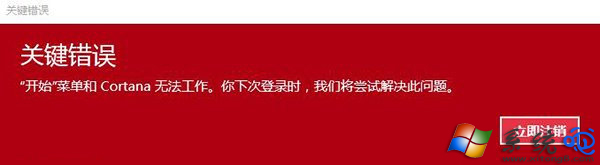
Windows 10 開機後彈出「開始選單和 Cortana 無法運作」錯誤,通常是因為系統升級或更新過程中,核心服務 User Manager(使用者管理員)未正確啟動。此服務負責管理使用者工作階段與應用程式模型,一旦停用,開始選單、Cortana、通知中心等現代化介面元件將全數失效。

修復步驟

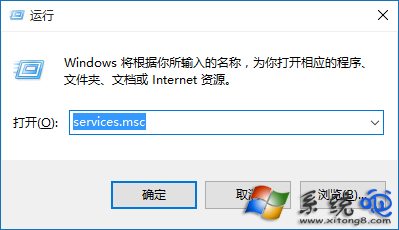
  1. 按 Win + R 輸入 services.msc 開啟服務管理工具。
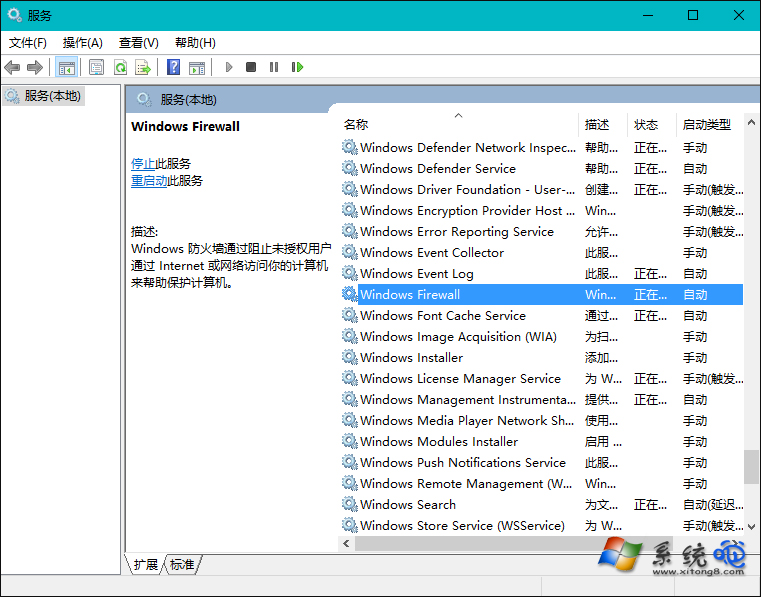
  2. 在清單中找到 User Manager,雙擊開啟屬性。
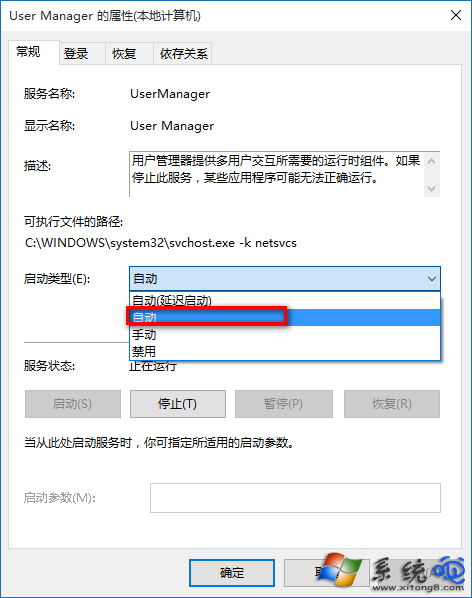
  3. 將「啟動類型」改為 自動,點擊「套用」。
  4. 點擊「啟動」按鈕啟動服務,確認狀態為「執行中」。
  5. 重新開機或登出重登入,開始選單與 Cortana 應恢復正常。

錯誤提示畫面

服務管理工具

User Manager 服務屬性

設定為自動啟動

若仍無法解決

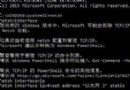
嘗試以系統管理員身分執行 PowerShell,執行以下指令重新註冊所有現代化應用程式:

Get-AppXPackage -AllUsers | Foreach {Add-AppxPackage -DisableDevelopmentMode -Register "$($_.InstallLocation)\AppXManifest.xml"}

此指令會掃描並修復所有 UWP 應用程式的註冊資訊,對於開始選單磚貼消失、應用程式無法啟動等問題同樣有效。

Copyright © Windows教程網 All Rights Reserved