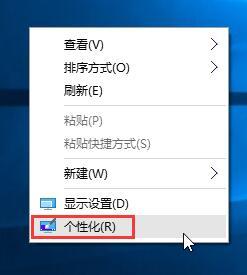
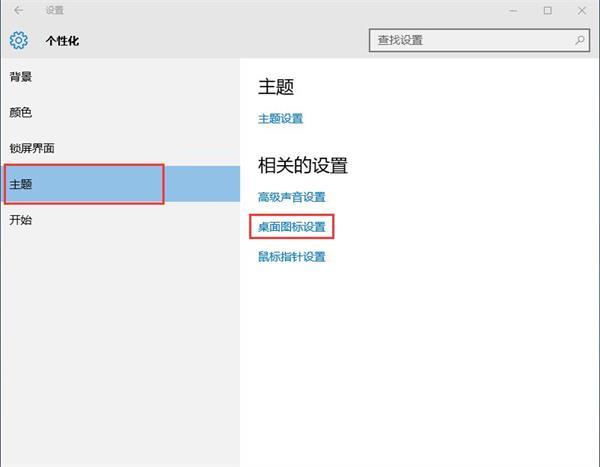
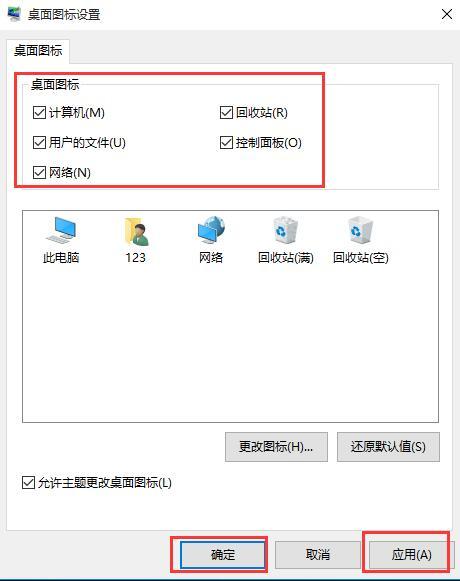
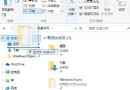
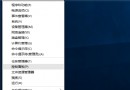
Windows 10 桌面圖示 (電腦、回收站、控制台、網路、使用者的檔案) 全部消失,通常是桌面圖示設定被取消勾選。透過個人化設定即可一鍵恢復。
此設定不影響實際資料與捷徑,僅控制桌面系統圖示顯示。
Windows 10 移除桌面圖示左上角核取方塊:「檢視」取消勾選「項目核取方塊」
Win10 內建截圖工具使用教程:從開啟到儲存全流程
Win10 忘記 PIN 碼怎麼辦?登入選項「我忘記我的 PIN」驗證帳號密碼後重設
Win10 啟用藍畫面錯誤資訊記錄:登錄表新增 DisplayParameters 顯示詳細錯誤碼
微軟贏在開發者生態:解析 Windows 10 如何重塑跨平台開發體驗
Windows 10 內建「郵件」App 完整設定教學:多帳號整合、日曆聯動、自訂簽名
Windows 10 技術預覽版 4 大實用技巧:開始畫面、全螢幕應用、開始菜單配色、多桌面任務視圖
Win10 升級報錯 0x80070002「找不到 boot.wim」?官方臨時修正方案