Win10 內建工具與第三方軟體皆可快速獲取顯卡詳細規格:
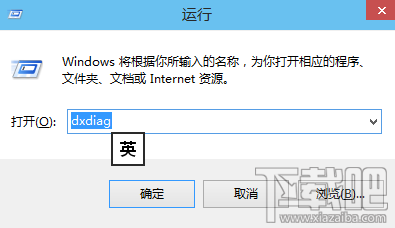
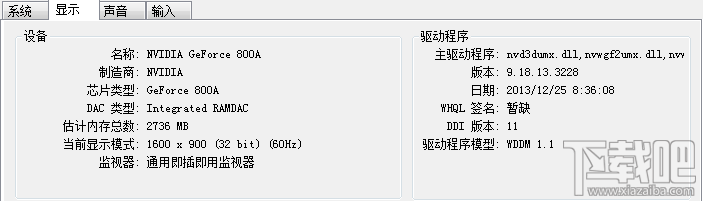
方法一:DirectX 診斷工具
dxdiag
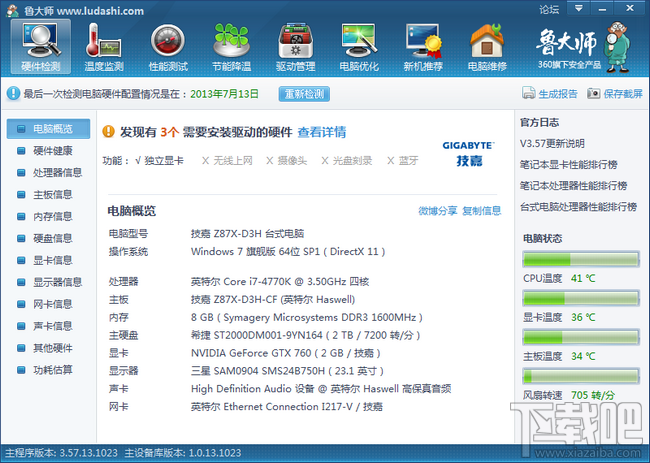
方法二:第三方檢測軟體(魯大師、AIDA64)
提供 GPU 核心頻率、驅動版本、溫度、效能跑分等完整資訊,適合進階用戶。
兩法任選,買遊戲前先查規格,避免買了跑不動。
Win10 升級後聲音忽大忽小?驅動人生智能匹配重裝聲卡驅動修復硬體相容性
Win10 提示「已停用 IME」無法輸入中文?電腦管理啟用 MsCtrMonitor 任務恢復輸入法
Win10 修改登入介面背景執行 Login.ps1 失敗?PowerShell ISE 選取執行繞過限制
Win10 提升開機速度:msconfig 系統設定啟用多核心引導、縮短逾時、選擇性啟動三步驟
Win10 啟用隱藏登入介面(圓形頭像)註冊表教學
Win10 刪除 windows.old 資料夾:磁碟清理與強制刪除雙法
Windows 10 手動建立系統還原點教學:關鍵操作前的保命符
Windows 10 內建錄音機使用教學:開始選單所有應用程式中啟動