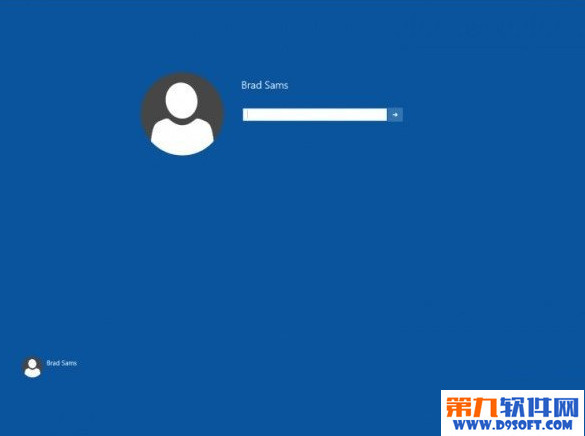
同樣適用於 Build 9926,透過修改註冊表啟用增強版登入畫面(圓形使用者頭像、新版鎖定介面)。
regedit
HKEY_LOCAL_MACHINE\SOFTWARE\Microsoft\Windows\CurrentVersion\Authentication\LogonUI\TestHooks
1
建議操作前備份註冊表,以防異常。
Win10 小娜(Cortana)不說話怎麼辦?設定預設播放裝置解決
Windows 10 9879 執行 Steam 遊戲當機的暫時解決方案
Windows 10 設定開機自動撥號寬頻連線
升級 Win10 最新版系統盤空間不足?官方內建「外接儲存裝置協助升級」功能完整操作指南
Win10 任務列時鐘改回新版 UI:啟用現代化日期時間面板
Windows 10 調整視窗標題列高度與捲軸寬度:登錄表修改教學
Win10 儲存空間功能:多顆硬碟/外接硬碟組建儲存池,資料自動備份防磁碟損壞遺失
Win 10 如何查看開始選單捷徑總數與明細?PowerShell Get-StartApps 指令一鍵搞定