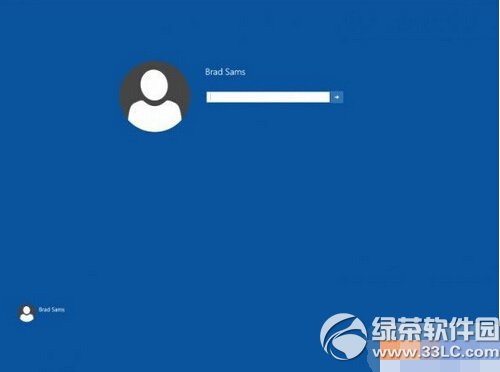
Windows 10 Build 9926 內建增強版登入畫面,預設關閉。透過註冊表即可啟用圓形頭像、新版鎖定介面。
regedit
HKEY_LOCAL_MACHINE\SOFTWARE\Microsoft\Windows\CurrentVersion\Authentication\LogonUI\TestHooks
1
此為預覽版隱藏功能,正式版可能已整合為預設樣式。
Windows 10 顯示卡驅動程式如何更新?裝置管理員自動搜尋最新驅動
Win10 應用商店無法開啟?wsreset.exe 一鍵清除快取修復
Win10 10074 開機黑屏僅有滑鼠游標:官方承認 Bug,暫時重開機或改用舊版
Win10 KB3140743 累積更新安裝失敗因應對策
Win10 登錄檔被誤修改如何還原:命令提示字元修復指令
Windows 10 關閉右下角廣告彈窗:工作管理員結束 HyFamily 進程
Office 輸入文字覆蓋後方內容?誤觸「Insert」鍵開啟覆寫模式,一鍵關閉
Windows 10 Edge 瀏覽器匯入 IE 收藏夾教學:設定→匯入其他瀏覽器收藏夾