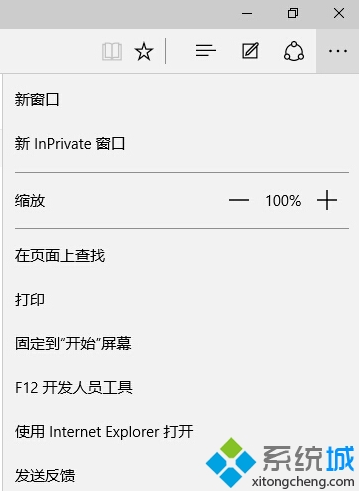
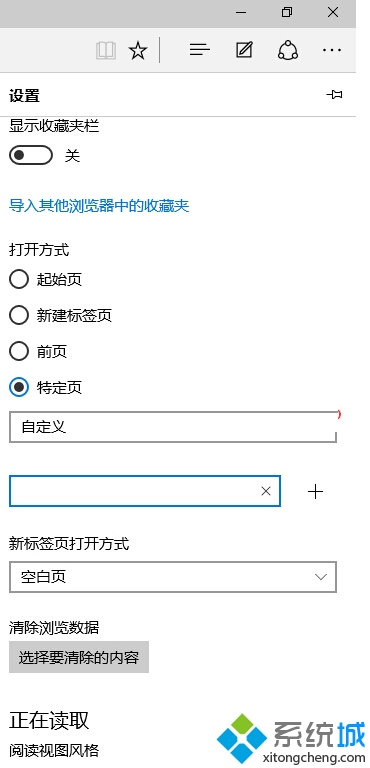
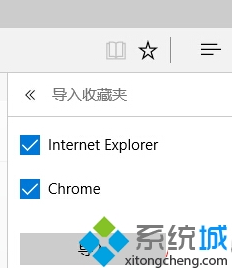
Edge 瀏覽器內建匯入功能,可將 IE 收藏夾一鍵遷移。
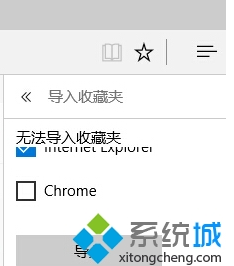
若提示「無法匯入收藏夾」,通常因使用者曾修改「我的最愛」資料夾預設位置。即使改回預設位置仍無法匯入,目前唯一解法為 重裝系統並勿移動收藏夾位置 再嘗試匯入。
建議遷移前備份 IE 收藏夾(匯出為 .htm 檔),以防萬一。
Windows 10 Edge 最小化後無聲音:隱私權設定開啟 Edge 背景應用程式權限
Win10 喚醒 Cortana(小娜)一句話新增提醒:語音助理進化為私人秘書
Win10 開始選單自訂資料夾顯示:快速釘選文件庫、設定、網路等位置
Win10 首次開機黑畫面過久?登錄表關閉 ULPS 電源管理加速開機
Windows 10 緊急重新開機模式使用教學:系統卡死/無回應時的安全重啟
Windows 10 如何用電腦玩 Xbox One 遊戲?串流串聯設定五步驟
Win10 多桌面與多視窗分割功能完整體驗
Win10 設定圖片密碼:用手勢代替文字密碼,登入更直觀