Microsoft Store 開啟即閃退、白畫面、錯誤碼 0x80072EFD/0x80131500,主因為本地快取損壞。Win10 內建 wsreset.exe 工具可自動清除 Store 快取並重新啟動商店,無需管理員權限,秒級修復。
wsreset → Enter。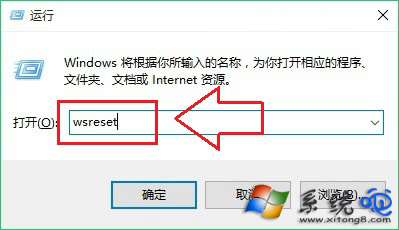
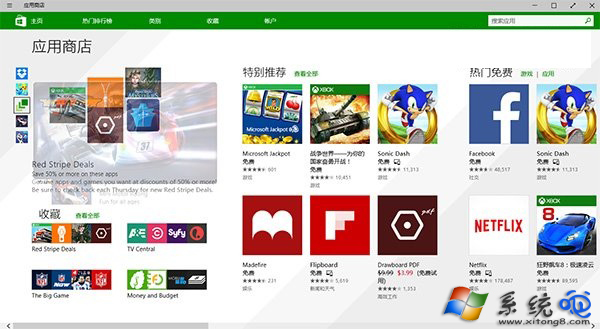
Get-AppXPackage -AllUsers -Name Microsoft.WindowsStore | Foreach {Add-AppxPackage -DisableDevelopmentMode -Register "$($_.InstallLocation)\AppXManifest.xml"}
*.microsoft.com、*.windowsstore.com,系統時間誤差 >5 分鐘會導致 SSL 驗證失敗。DISM /Online /Cleanup-Image /RestoreHealth。0x80072EFD (網路連線)、0x80131500 (快取損壞)、0x800704CF (網路不可用)。wsreset.exe 是修復 Win10 應用商店快取問題的標準首選指令,建議遇到 Store 異常時優先執行。
Win10 升級助手怎麼解除安裝?介面無解除安裝鈕 → 任務管理器開啟檔案位置 → 執行 Uninst.exe → 360 清理殘留
Win10 檔案複製到 USB 提示「磁碟受寫入保護」?登錄檔一鍵解除
Win10 RS1 11082 更新內容彙總:OneCore 核心重構、Insider 體驗改進、無明顯新功能
Windows 10 Mobile 10536 安裝錯誤 0x800705b4 解決辦法:重啟清背景、必要時還原 WP8.1 重升
Windows 10 硬碟空間不夠?六大清理技巧徹底釋放 C 槽空間