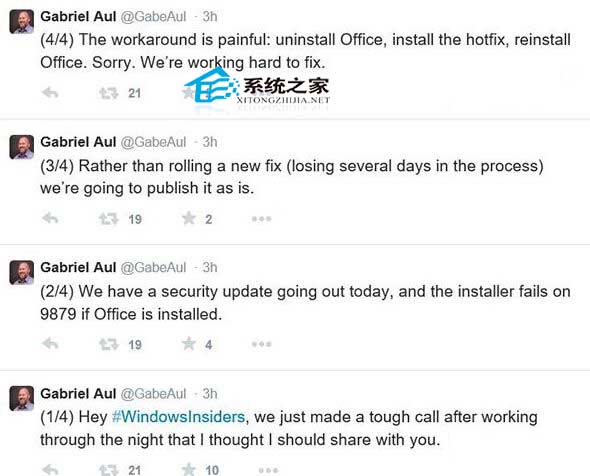
Windows 10 預覽版期間,安裝更新 KB3022827 若系統已安裝 Microsoft Office,會導致更新安裝失敗 (微軟 Gabriel Aul 於 Twitter 確認)。官方修復前的暫時解決方案如下:
背景:此為預覽版已知 Bug,微軟後續累積更新已修復此衝突。正式版 Windows 10 不存在此問題。若遇到類似「特定軟體導致更新失敗」的情況,暫時移除衝突軟體更新後再裝回,是通用的緩解策略。
Win10 安裝 Flash 更新 KB3132372 導致瀏覽器崩潰?安裝 KB3133431 修補彈性修復
Win10 開啟軟體提示 OpenCL.dll 損壞/遺失?重裝顯卡驅動或手動替換檔案修復
Win 10 網頁無法上傳圖片?三招快速排除瀏覽器與 Flash 問題
Win10 行事曆磚塊顯示農曆與天氣:訂閱中國天氣網 iCal 同步
Win10 開啟「上帝模式」掌握所有系統設定
Win10 整合 WinRAR 右鍵選單為單一項目:啟用「層疊右鍵關聯選單」
Win10 Build 10163 家用版截圖曝光:介面無明顯變化,專注 Bug 修正
筆電插電卻不充電?電源選項啟用「使用電池」選項解決