遺忘 Windows 10 開機密碼時,可使用內建密碼重置工具的 WinPE 開機碟 (如微軟官方 DaRT、或第三方整合 NTPWEdit/Offline NT Password & Registry Editor 的 PE) 離線清除 SAM 資料庫中的密碼雜湊。

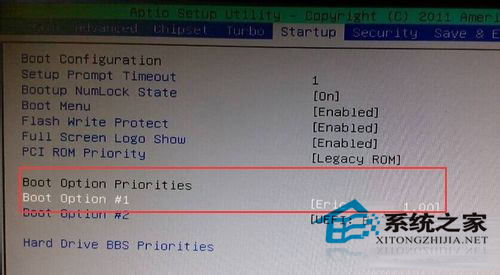
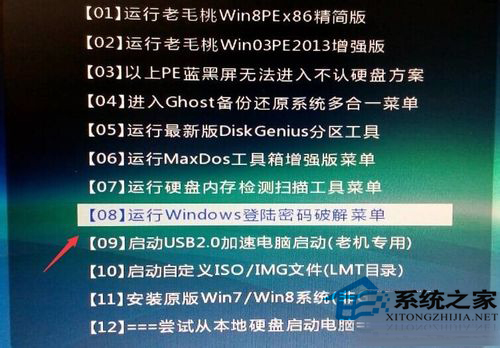
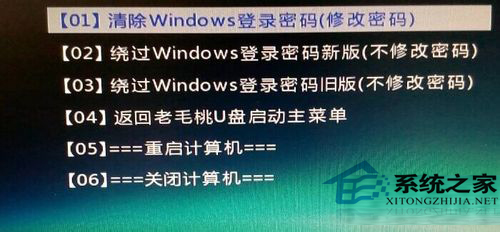
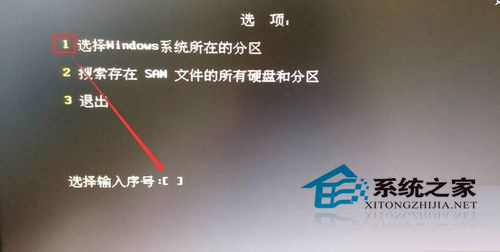
法律與道德警示:此技術僅供本人合法擁有的裝置遺忘密碼時自救使用。未經授權存取他人電腦屬違法行為。建議平時建立「密碼重設磁碟」 (控制台 → 使用者帳戶 → 建立密碼重設磁碟) 或啟用 PIN/Windows Hello 生物辨識避免遺忘密碼。
Win10 硬碟使用率 100% 解決方案:關閉家庭群組、自動維護、虛擬記憶體、IPv6、Defender 五大優化
Win10 無法存取 Win7 共享資源?啟用內建 Administrator 帳戶即可解決
Win10 桌面圖示字體大小如何自訂?顯示設定三步驟調整標題列與文字縮放
Win10 使用彩色主題時強制標題列保持白色:個人化設定一鍵關閉「在標題列顯示顏色」
Win10 Mobile 10581 更新下載卡 0% 解決辦法
Win10 重置後出現 INACCESSIBLE_BOOT_DEVICE 藍屏?安全模式停用/更新顯卡驅動即可修復