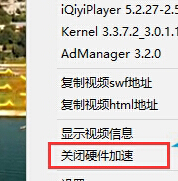
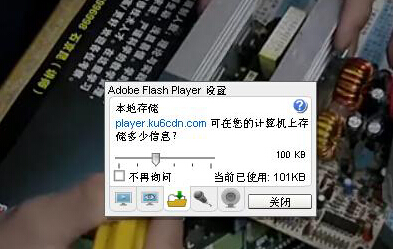
Edge 瀏覽器播放影片或瀏覽網頁時出現綠畫面,通常是顯示卡驅動程式故障或版本過舊,或是 Flash Player 硬體加速衝突導致。以下提供兩種有效解法:
前往顯示卡廠商官網(NVIDIA、AMD、Intel)下載最新驅動並安裝,確保系統與硬體完美相容。
多數情況下,更新驅動程式即可徹底解決;若問題持續,再嘗試關閉硬體加速。
Win10 待機斷網怎麼解決?裝置管理員關閉網卡省電功能保持網路連線
Win10 找不到計算機?Win+R 輸入 calc.exe 或開始選單字母索引 J 找到
Windows 10 提取聚焦鎖定畫面壁紙:軟媒魔方美化大師一鍵匯出
Win10 卸載輸入法後輸入法列表仍殘留圖示?控制台語言選項「刪除」徹底移除
Win10 禁止顯卡驅動自動更新:裝置安裝設定阻擋 Windows Update 驅動
Windows 10 C 槽 inetpub 資料夾刪不掉?關閉 IIS 功能即可移除
Visual Studio Emulator for Android 在 Win10 上完整部署與 Android Studio 整合指南:Hyper-V 加速、adb 連線、Toolbar 快捷鍵自動化
Windows 10 多桌面 (虛擬桌面) 設定與操作完整教學:Task View 一鍵管理