Windows 10 內建「郵件與行事曆」應用同步失敗,跳出錯誤代碼 0x80c8043e。微軟工程師提供 PowerShell 重裝指令,而用戶社群發現卸載特定累積更新(KB3081436)也能解決,但伴隨風險。
Get-appxprovisionedpackage –online | where-object {$_.packagename –like "*windowscommunicationsapps*"} | remove-appxprovisionedpackage –online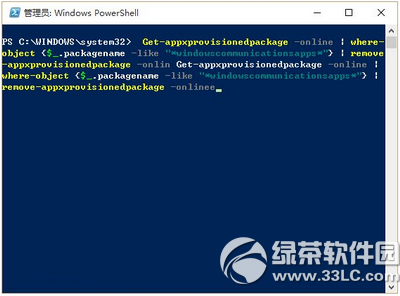
此為 Win 10 正式版第二個累積更新,部分用戶安裝後導致同步失敗。卸載路徑:
「設定」→「更新與安全性」→「進階選項」→「檢視更新歷程記錄」→「解除安裝更新」→ 找到 KB3081436 雙擊卸載。
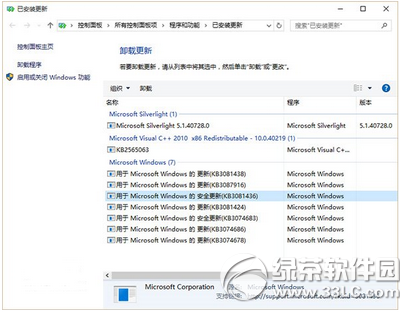
警告:卸載安全性更新可能降低系統防護能力,若已安裝第三枚累積更新(KB3081438)且安裝失敗,強烈不建議使用此法。