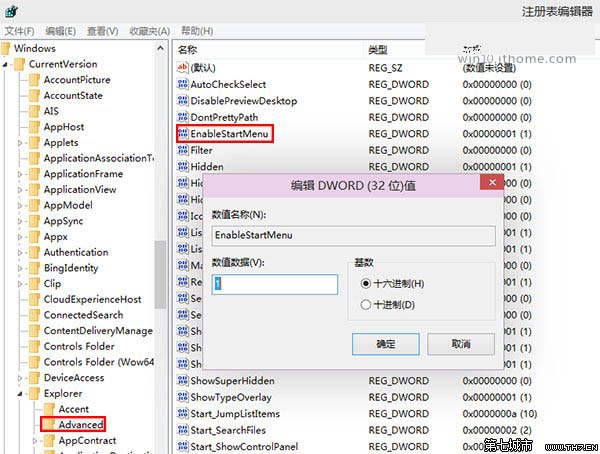
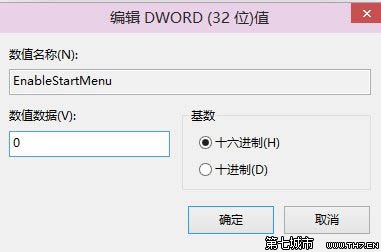
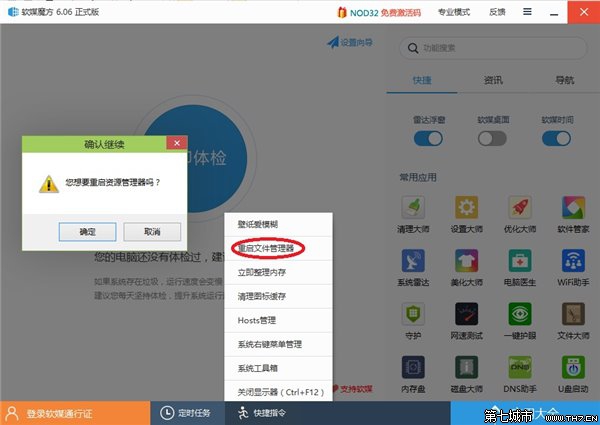
regedit 開啟登錄表編輯器HKEY_CURRENT_USER\Software\Microsoft\Windows\CurrentVersion\Explorer\AdvancedEnableStartMenu,雙擊修改:1 = 開始選單0 = 開始螢幕explorer.exe (可用軟媒魔方) 即時生效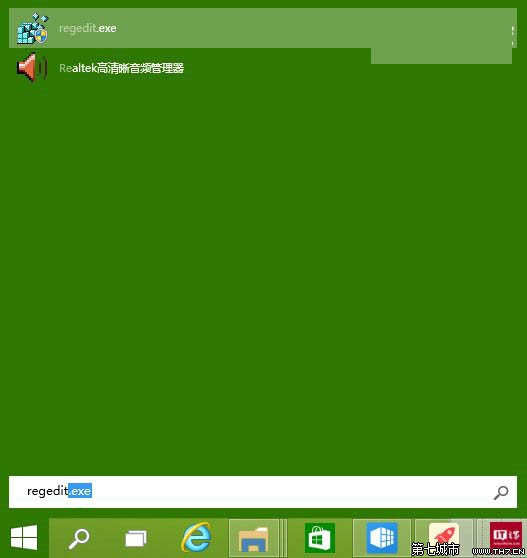
Win10 快速切換至桌面的兩大絕招:任務列按鈕與 Win+D 快捷鍵
Win10 無法開啟定位服務/位置開關灰色?服務管理啟用 Geolocation Service 即可恢復
Win10 9879 命令提示符全屏模式啟用方法:Alt+Enter 一鍵切換
Win10 啟用隨機 MAC 位址保護隱私,防止公共 Wi-Fi 追蹤
Win8.1 升級 Win10 出現 C1900101-30018 錯誤?重設更新元件與服務修復教學
Win10 正式版 Insider 計畫需綁定 Microsoft 帳號,未綁定無法接收新預覽版