IE11 預設搜尋引擎為 Bing,若習慣使用百度,可透過「管理附加元件」從官方庫新增百度並設為預設。
操作步驟
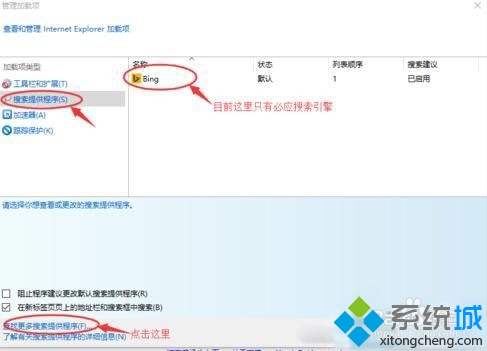
- IE 右上角齒輪圖示 →「管理附加元件」。
- 左側選「搜尋提供者」→ 底部「尋找更多搜尋提供者」。
- IE 庫中第一項即為「百度搜尋」,點選進入。
- 頁面載入完成後出現「新增至 Internet Explorer」按鈕,點選。
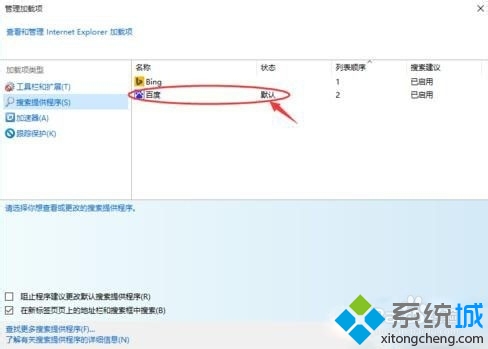
- 彈出視窗勾選「設為預設搜尋提供者」→「新增」。
- 關閉 IE 重新開啟,搜尋列即為百度。





補充說明
同樣方法可新增 Google、Yahoo 等其他搜尋提供者。Edge 瀏覽器請至設定→隱私權與服務→位址列搜尋引擎變更。