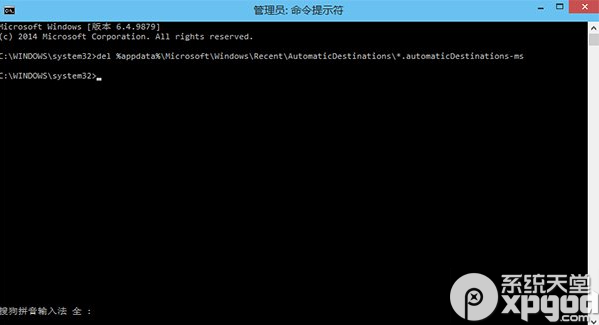
CMD
del %appdata%\Microsoft\Windows\Recent\AutomaticDestinations\*.automaticDestinations-ms
完成後重新開啟檔案總管,「主頁」即恢復剛安裝時的乾淨狀態,保護隱私同時清理雜亂。
Windows 10 下 Windows Phone 恢復工具無法安裝?三大常見錯誤代碼與解決方案
Win10 啟用「尋找裝置與內容」開啟網路探索功能
Windows 10 系統映像備份還原完整教學:高級啟動進入恢復環境還原系統映像
Win10 瀏覽網頁彈窗廣告怎麼關閉?360 安全衛士強力攔截設定教學
Win 10 開始選單常用應用如何前置?關閉動態推薦+捷徑加空格排序法
Win10 開啟 Excel 跳出「向程式傳送命令時出現問題」?關閉 DDE 選項秒解決
Win10 點擊「更新與安全性」閃退?切換 Microsoft 帳號或重置電腦修復
Win10 任務列通知區域顯示所有圖示:關閉隱藏彈出面板一鍵全顯