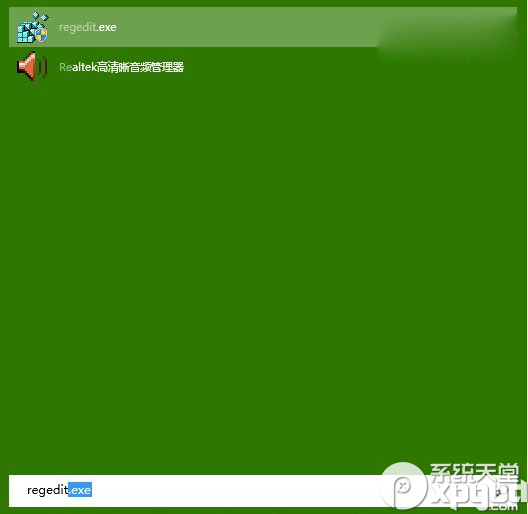
regedit
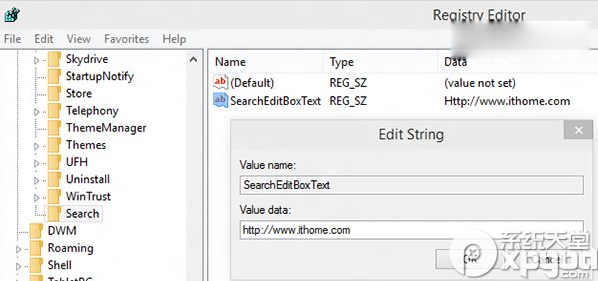
HKEY_CURRENT_USER\Software\Microsoft\Windows\CurrentVersion\Search
SearchEditBoxText
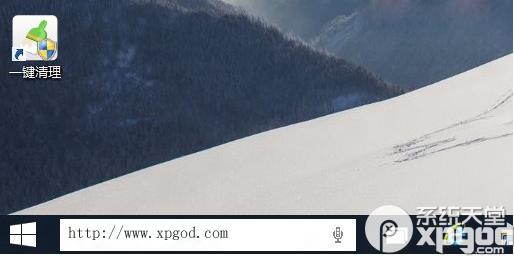
https://www.xpgod.com
explorer.exe
同樣方法將 Search the Web and Windows 寫入 SearchEditBoxText 即可。
Search the Web and Windows
Windows 10 桌面未啟用浮水印移除教學
Win10 沒聲音?內建「疑難排解」一鍵診斷修復大多數軟體性聲音問題
Win10 清除搜尋/檔案總管歷史記錄:群組原則停用最近搜尋顯示保護隱私
Win10 自動隱藏工作列:右鍵屬性勾選一鍵設定騰出螢幕空間
Win10 虛擬鍵盤(螢幕鍵盤)如何快速開啟?工作列工具列啟用觸控鍵盤
Win10 停用/移除 Internet Explorer 11 教學 (功能開啟或關閉)
Win10 筆電螢幕紅畫面?裝置管理員卸載監視器驅動重開機修復
Win10 開機啟動項管理完整教學:工作管理員、啟動資料夾、註冊表三大管道全掌握