Windows 10 預載 Edge 為預設瀏覽器,但保留 IE11 相容舊版網站/企業應用。若確定不需 IE11,可透過「開啟或關閉 Windows 功能」停用移除。
操作步驟
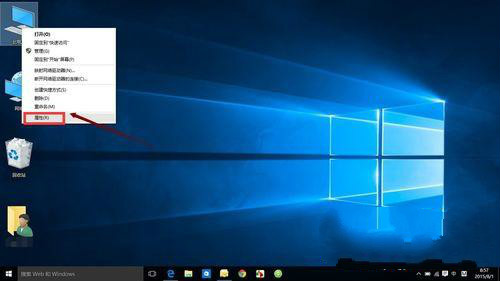
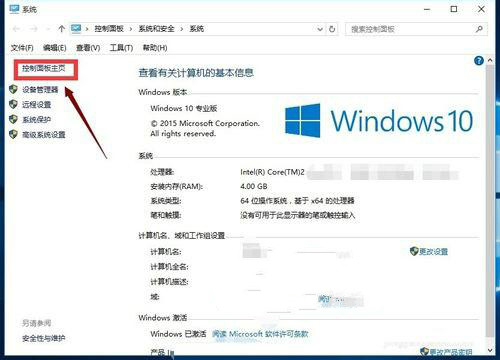
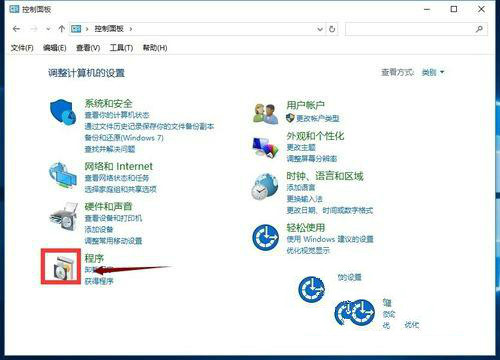
- 右鍵「這台電腦」→ 「內容」→ 「控制台首頁」。
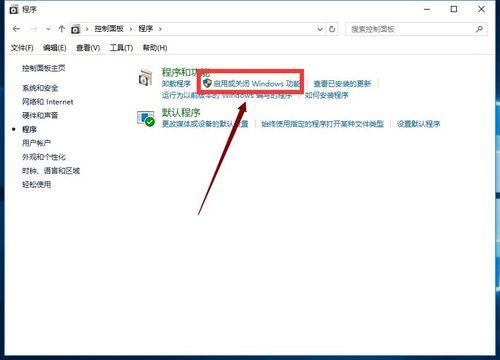
- 「程式」→ 「開啟或關閉 Windows 功能」。
- 清單中取消勾選「Internet Explorer 11」→ 「確定」。
- 彈出警告:「關閉 Internet Explorer 11 可能影響其他 Windows 功能/程式」,點選「是」確認。
- 系統移除 IE11 組件,完成後重開機生效。
⚠ 注意: 部分企業內部系統、舊版銀行/政府網站、ActiveX 元件仍強制要求 IE11。停用前請確認無相依應用。需恢復時同路徑重新勾選即可安裝回 IE11。