Windows XP Windows 7 Windows 2003 Windows Vista Windows 綜合教學 Linux 系統教學
Windows 10 Windows 8 Windows 2008 Windows NT Windows Server 電腦軟體教學

Win10 鎖定畫面沒有關機鈕?專業版群組原則啟用、家庭版待登錄檔解法

編輯:Windows 10 系統介紹

現象與原因

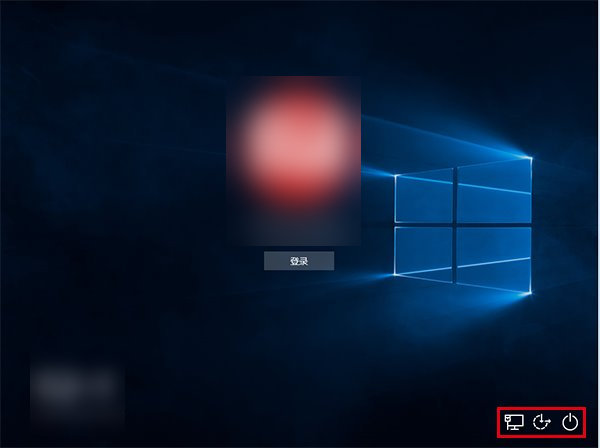
同文章 23054:群組原則「關機:允許系統在未登入的情況下關閉」未啟用。專業版可用群組原則,家庭版暫無圖形介面解法。
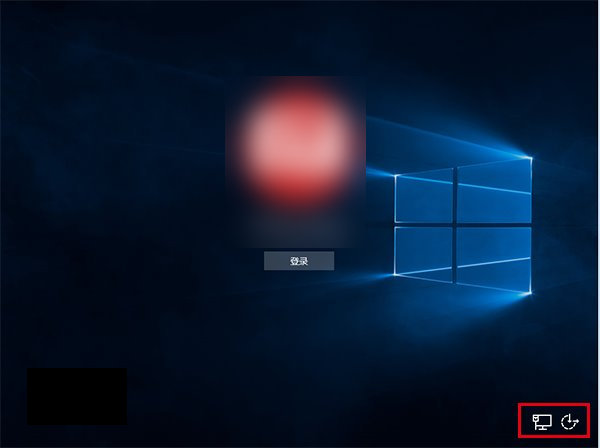
鎖定畫面無電源鈕

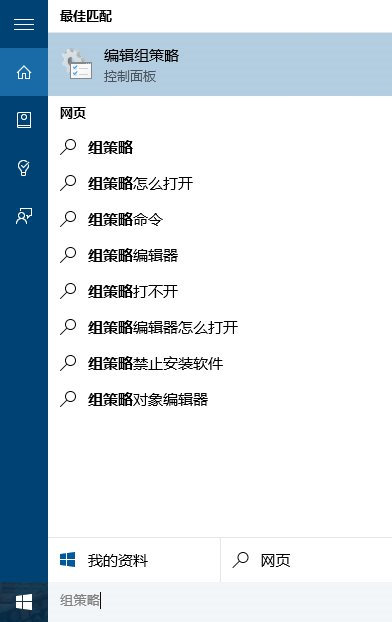
專業版解法(同 23054)

  1. gpedit.msc → 電腦設定 → Windows 設定 → 安全性設定 → 本地原則 → 安全性選項。
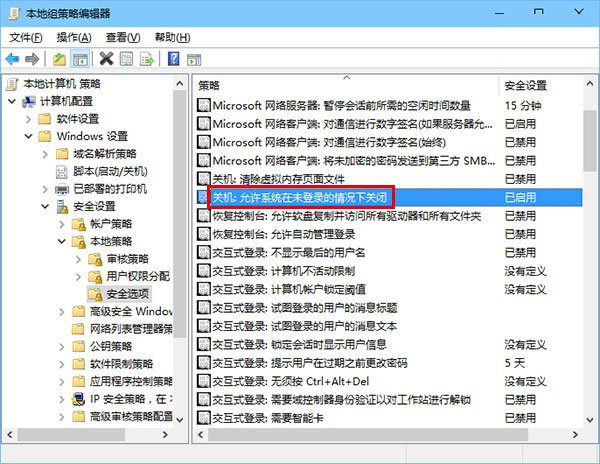
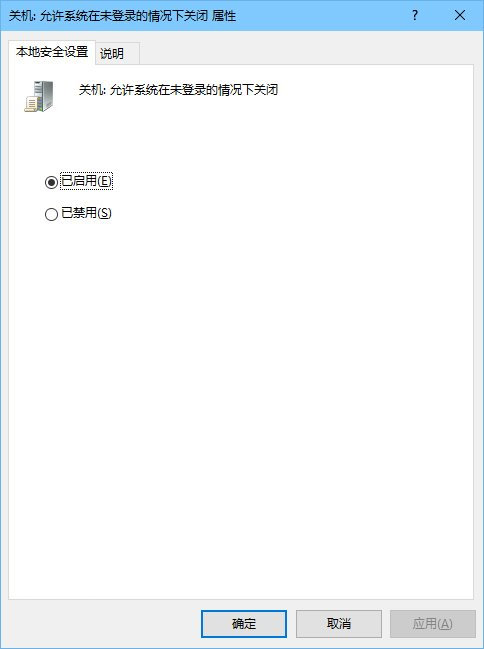
  2. 「關機:允許系統在未登入的情況下關閉」→ 「已啟用」。
  3. Win + L 驗證。

開啟群組原則

安全性選項

設為已啟用

驗證成功

家庭版替代方案

修改登錄檔:

Windows Registry Editor Version 5.00

[HKEY_LOCAL_MACHINE\SOFTWARE\Microsoft\Windows\CurrentVersion\Policies\System]
"shutdownwithoutlogon"=dword:00000001

存為 enable_shutdown.reg 執行並重開機/重新登入。

Copyright © Windows教程網 All Rights Reserved