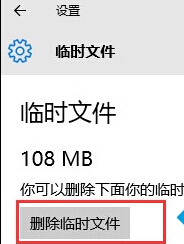
cleanmgr) 仍可用,功能更詳細(可清理系統檔案、Windows Update 清理等)。Win10 內建遊戲錄影功能:Win+G 開啟遊戲列,支援截圖與錄影
Win10 玩遊戲藍屏 tessafe.sys 多種修復嘗試
Windows 10 解除安裝程式完整教學:設定介面與控制台雙管道操作
Windows 10 Build 10061 預覽版發布:新郵件/行事曆、暗黑主題透明化、Continuum 優化、任務視圖/虛擬桌面增強、已知問題與升級指引
Win10 IE 瀏覽器無法顯示圖片?檢查設定與重新安裝 IE 完整解決方案
筆記型電腦 Intel 核心顯示卡驅動安裝失敗解決方案:使用 Intel 官網舊版驅動 (14.8.29) 繞過相容性檢查