Windows XP Windows 7 Windows 2003 Windows Vista Windows 綜合教學 Linux 系統教學
Windows 10 Windows 8 Windows 2008 Windows NT Windows Server 電腦軟體教學

Win10 如何清除 DNS 快取:ipconfig /flushdns 指令三步驟完成

編輯:Windows 10 系統介紹

Windows 10 遇到網頁無法開啟、解析錯誤、舊 IP 殘留等問題,清除 DNS 快取通常能即時解決。僅需三條指令,秒級完成。

操作步驟

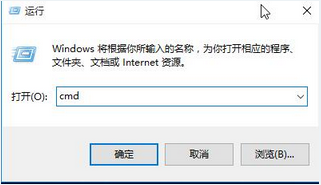
  1. Win+R → cmd → 確定 (或右鍵開始按鈕 → 「命令提示字元」/「Windows PowerShell」)。
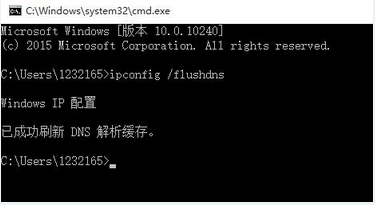
  2. 輸入 ipconfig /flushdns → Enter,顯示「成功清除 DNS 解析快取」。
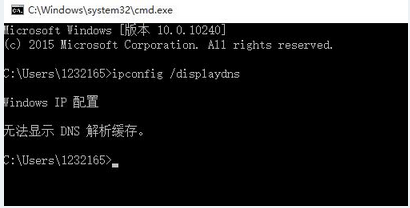
  3. 驗證:輸入 ipconfig /displaydns → Enter,應顯示「無法顯示 DNS 解析快取」(代表快取已空)。
適用情境

  • 網站更換 IP/伺服器後,本機仍解析舊 IP。
  • DNS 劫持/污染恢復後,需清除殘留惡意記錄。
  • 切換 DNS 伺服器 (如改用 1.1.1.1/8.8.8.8) 後生效緩慢。
  • 開發測試修改 hosts 檔案後需立即生效。

補充

  • 同指令適用於 Windows 7/8/8.1/10/11、Windows Server 全系列。
  • PowerShell 同樣支援 Clear-DnsClientCache Cmdlet。
Copyright © Windows教程網 All Rights Reserved