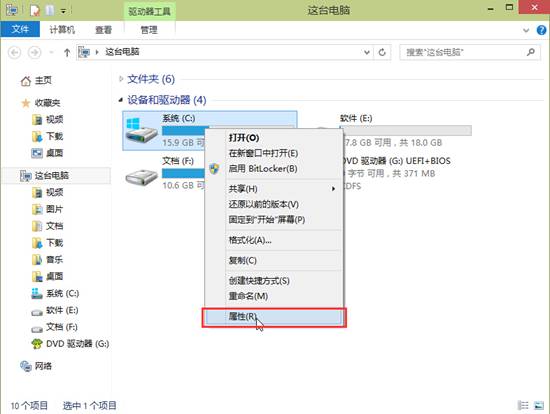
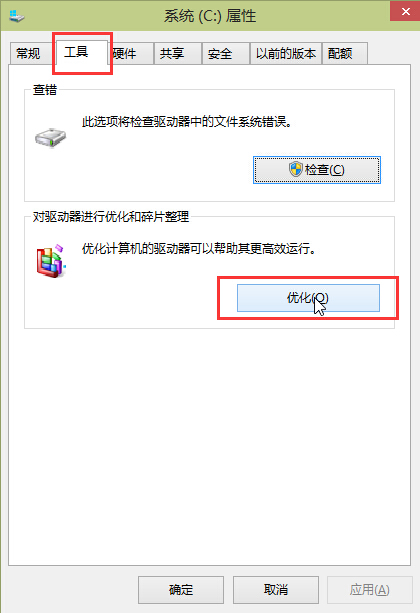
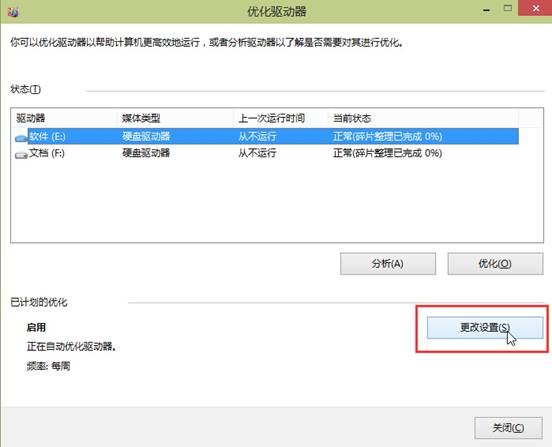
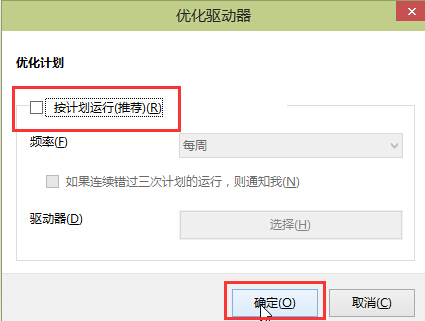
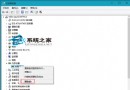
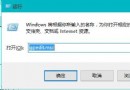
Win10 預設每週自動磁碟重組,SSD 不需且可能縮短壽命,關閉方法:
SSD 建議關閉自動重組,HDD 可保留或改為手動執行。
Win10 系統深度優化全攻略:關閉家庭群組、禁用系統保護、優化驅動器排程、IPv6 等六大核心項目
Windows 10 更改檔案副檔名教學(同 ID 21068)
Windows 10 螢幕亮度調節完整教程:四步輕鬆保護視力
OneDrive 徹底卸載與移除導航欄圖標完整教程
Win10電腦版微信無法登入、掃碼失效?兩大核心解決方案
Windows 10 預覽版推出時程:PC 版下周、行動版 2 月
Win10 開始選單應用程式全部消失?PowerShell 重新註冊 AppX 套件修復
Windows 10 進入安全模式常見方法:三大入口統整 (含 WinRE)