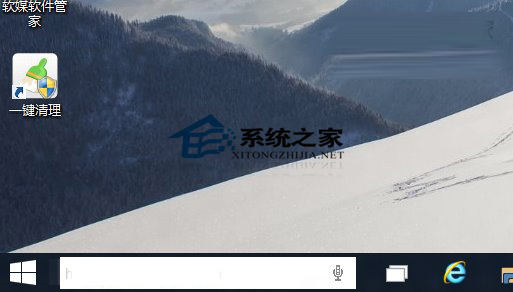
將工作列搜尋框預設提示文字「Search the Web and Windows」自訂為個人化文字:
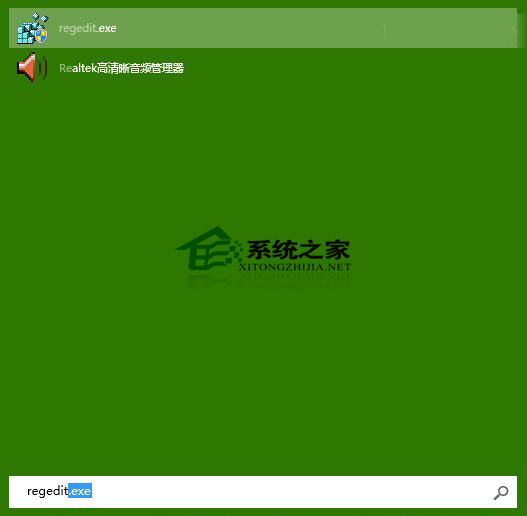
regedit
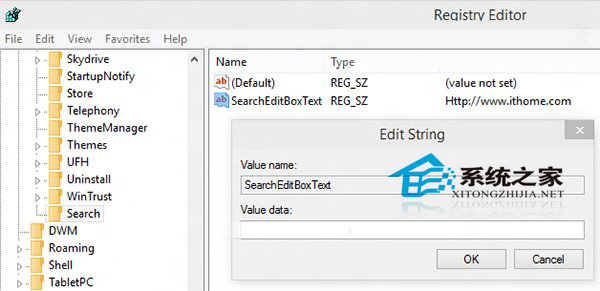
HKEY_CURRENT_USER\Software\Microsoft\Windows\CurrentVersion\Search
SearchEditBoxText
修改即時生效,功能不變。若想恢復預設,將數值改回 Search the Web and Windows。
Search the Web and Windows
Win10 安裝提示「這台電腦無法執行 Windows 10」?更新 BIOS 解決
Win10 手動檢查與安裝系統更新補丁教學
Win10 界面回歸傳統樸素風格:關閉鎖定畫面的兩種方法
Win10 應用程式商店無法安裝應用?執行 wsreset 重置快取
Win10 應用程式錯誤 0xc0000018?註冊表清理 AppInit_DLLS 解決
Win10 如何禁止系統自動更新 (三種方法)
Windows 10 關閉休眠/睡眠:五步設定讓電腦永不待機
Win10 開機黑屏時間長?關閉鎖定畫面 + 硬體檢查雙管齊下