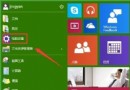
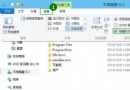
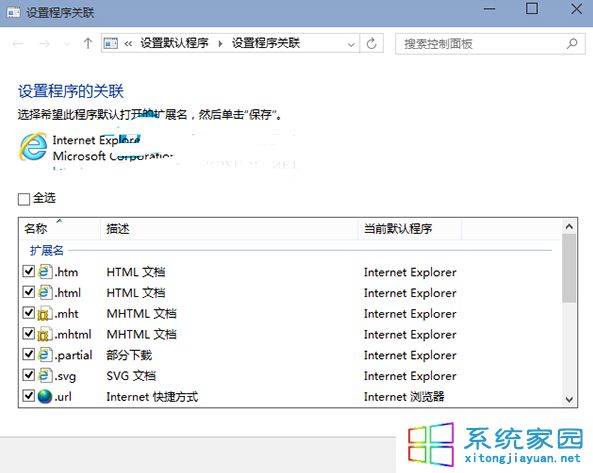
安裝其他瀏覽器誤操作導致 IE 無法開啟 HTML 等網頁檔案。HTML 檔案為描述性文字,由 HTML 指令組成,可被多種瀏覽器讀取產生網頁。解決方法為設定 IE 的檔案關聯。
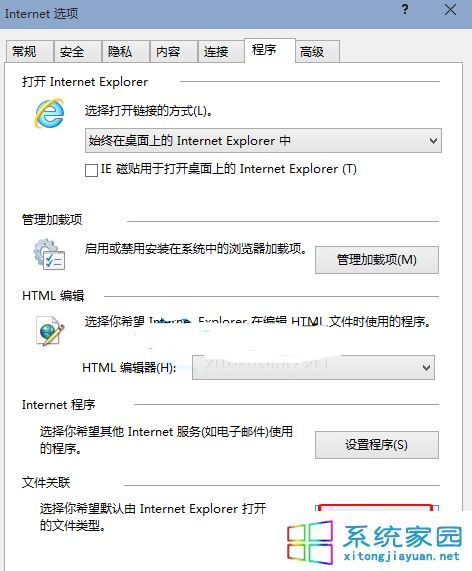
若習慣從開始磚塊啟動 IE 但偏好桌面版,可設定點擊磚塊開啟桌面版 IE。
Windows 10 找回 Charms 邊欄的方法:快捷鍵與第三方工具
Win10 虛擬記憶體設定教學:自訂分頁檔大小、移至非系統碟、關閉分頁檔
Win10 藍屏 INACCESSIBLE_BOOT_DEVICE 修復指南:禁用顯卡啟動項快速恢復
Win10 開機提示「裝置處於離線狀態」無法登入?連網用 Microsoft 帳號密碼即可解決
Win10 登錄修改後恢復 Insider 更新通道:命令提示字元執行四條指令重設註冊表
Windows 10 9926 禁止 OneDrive 開機自動啟動:工作管理員啟動頁面停用
Win10 連接手機熱點藍畫面 KERNRL_SECURITY_CHECK_FAILURE 解決
Windows 10 啟用內建 Administrator 管理員帳戶:電腦管理 → 本地用戶和群組 → Users → Administrator → 取消勾選「帳戶已停用」