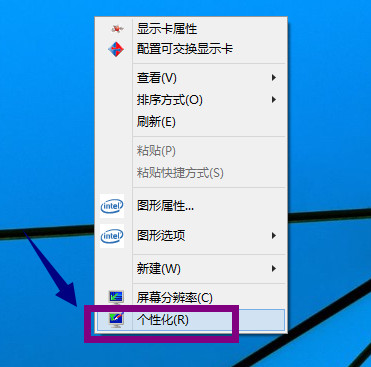
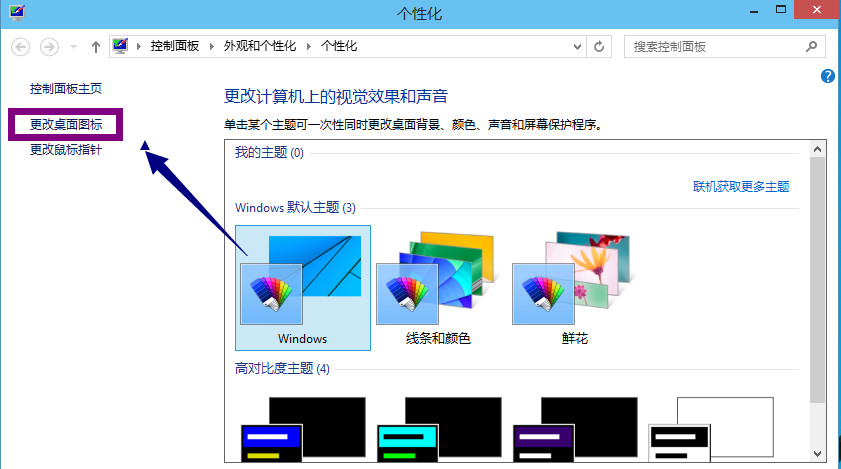
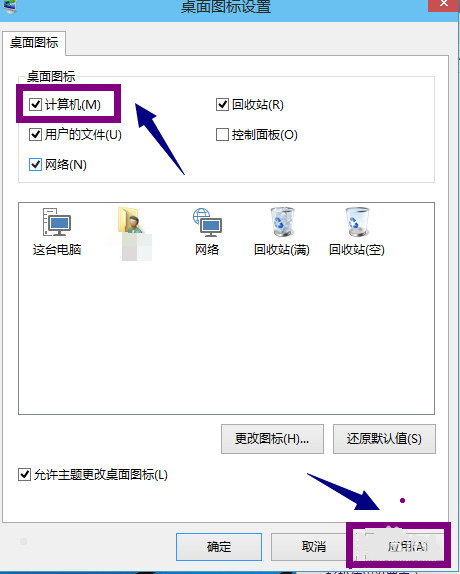
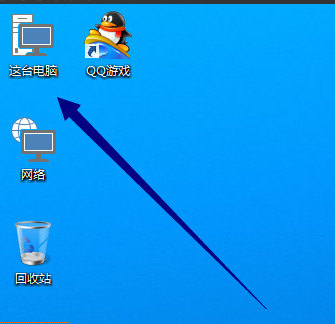
Windows 10 預設桌面不顯示「這台電腦」(舊稱「我的電腦」)圖示,只需幾步即可找回:
Windows 10 鎖定畫面啟動任意應用程式:登錄表 Image File Execution Options 劫持技巧
Windows 10 設定應用程式永以系統管理員身分執行:相容性設定圖文教學
Win10 通知區域時間後顯示星期幾:自訂日期格式 yyy/M/d/dddd
Windows 10 如何更換滑鼠指標樣式?控制台滑鼠屬性一鍵套用方案
Windows 7 升級 Windows 10 技術預覽版的方法
Win 10 開始選單/小娜無法開啟?三大臨時修復法:重開機、手動啟動 ShellExperienceHost、強制重啟進程
Windows 10 Mobile 10536 安裝錯誤 0x800705b4 解決辦法:重啟清背景、必要時還原 WP8.1 重升