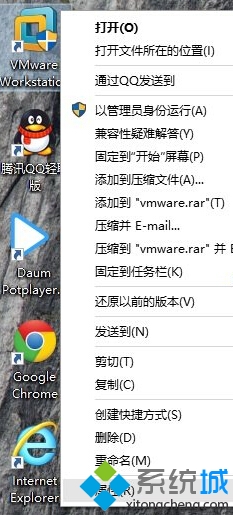
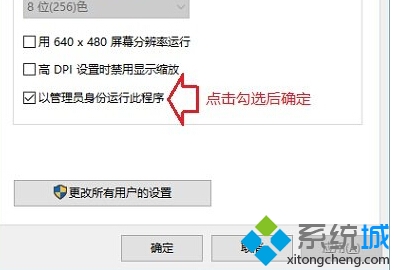
部分舊版應用程式在 Windows 10 需系統管理員權限才能正常運作,可透過相容性設定永久啟用:
設定後該程式每次啟動都會自動提權,免去每次右鍵選單操作。
Win10 升級後電腦變慢?關閉快速啟動提升效能
Win10 新增資料夾/重新命名卡死怎麼辦?清除檔案總管歷程記錄即時解決
Win10 vs Win8 差異大比較:開始選單回歸、視窗化應用、多桌面、跨平台統一
Win10 如何離開家用群組?六步驟徹底移除共享網路環境
Win10 免費升級啟用完整教學:三大合法管道與版本對應表
VirtualBox 安裝 Win10 出現花屏?關閉 2D/3D 加速解決
Win10 雙顯示卡無法切換?更新核顯驅動與手動指定獨顯
Win10 玩 Dota 2 搜狗輸入法不顯示?雙重設定完美解決