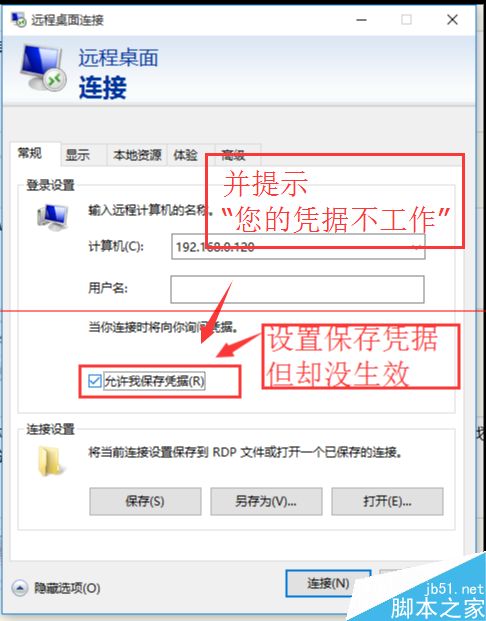
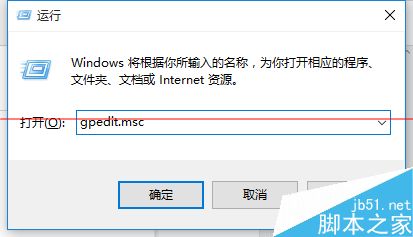
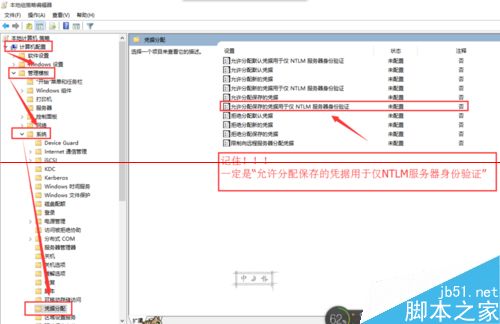
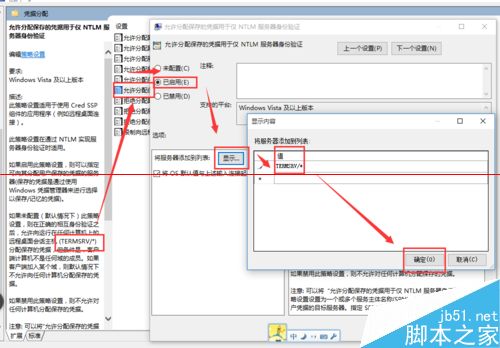
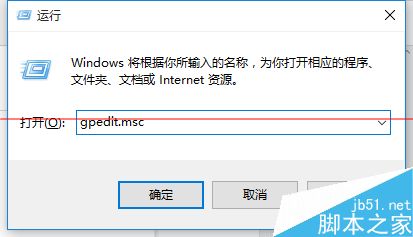
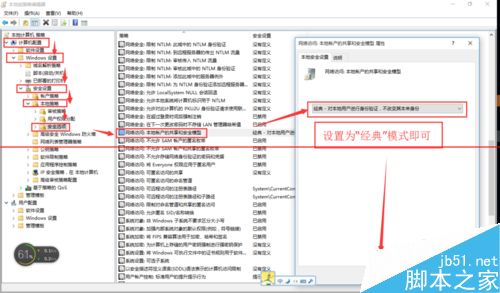
gpedit.msc
TERMSRV/*
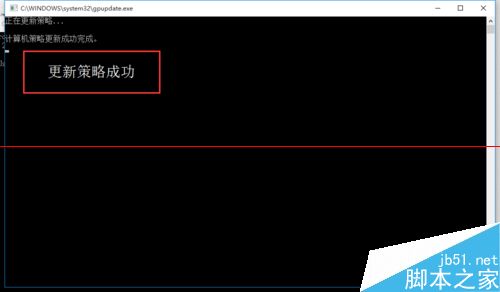
gpupdate /force
Win10 預覽版點選「修復我」出現 80080300 錯誤解決
Win10 多桌面與多視窗分割功能完整體驗
Win10 內建螢幕錄影 (Xbox Game Bar) 完整使用教學:啟動、儲存、設定與進階技巧
Win10 一鍵批量移除所有預裝應用:最暴力的 PowerShell 指令
Windows 10 周年更新無法直接關閉 Cortana?用群組原則或登錄表強制停用
Windows 10 內建管理員帳號無法啟動應用?群組原則修復法(含圖文)
Win10 禁止插入 USB/行動硬碟自動開啟檔案總管:自動播放設定「不執行任何動作」
登入 QQ 後跳出升級 Win 10 提示?封鎖 WIN10TIPS0623V1.EXE 進程即可