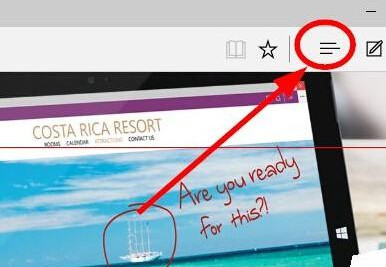
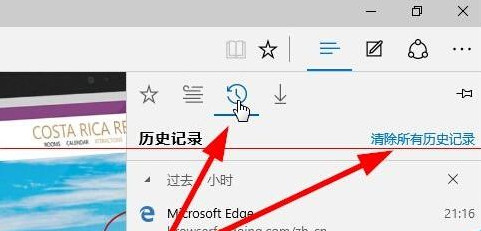
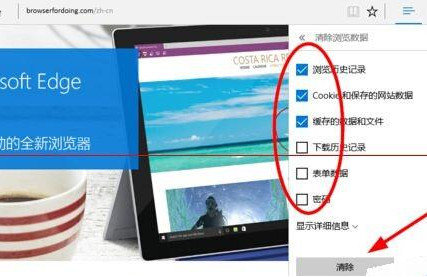
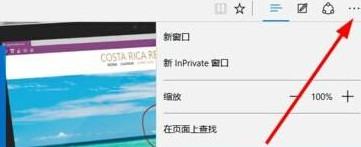
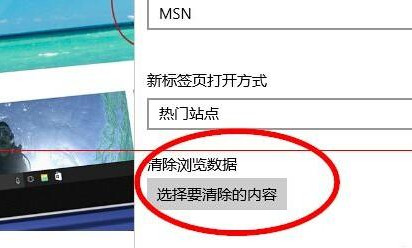
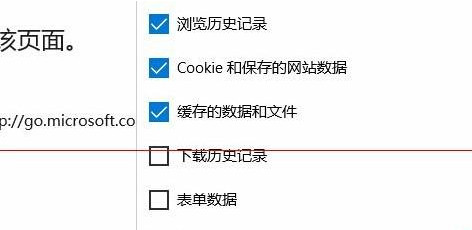
清除後無法還原,請確認後再操作。若需保留密碼/表單資料,請取消勾選對應項目。
Win10 開機藍屏 0x000000D1 完整排除指南
Windows 7/8/10 專用字元編輯程式 (造字程式) 位置與使用方式
Win 10 解除安裝程式在哪?控制台與設定 App 雙管道快速移除軟體
Win10 螢幕截圖 (Win+Shift+S) 無暗屏動畫/閃一下失效?開啟系統動畫與視覺效果修復
Win10 如何登入 Microsoft 帳號?同步設定與 OneDrive 完整教學
Win10 如何關閉背景應用程式以節省資源
Win10 使用 msconfig 指令進入安全模式教學
Win10 Cortana 小娜圖示更換:圓圈臉↔面團 切換教學