滑鼠突然拖不動檔案?常見四大原因與解法:
連按兩次 Esc 鍵嘗試釋放鎖定狀態。
檢查接口(PS/2 需關機插拔)、換滑鼠測試,確認硬體正常。
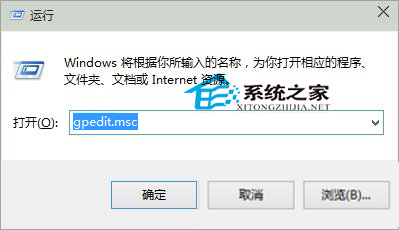
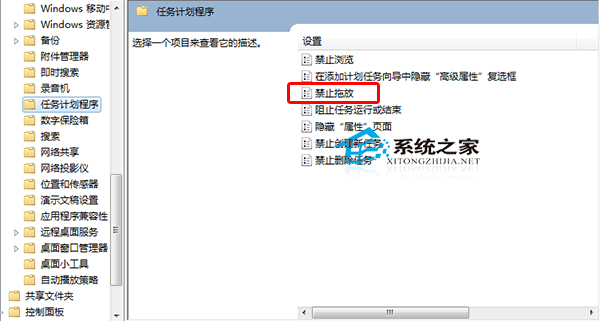
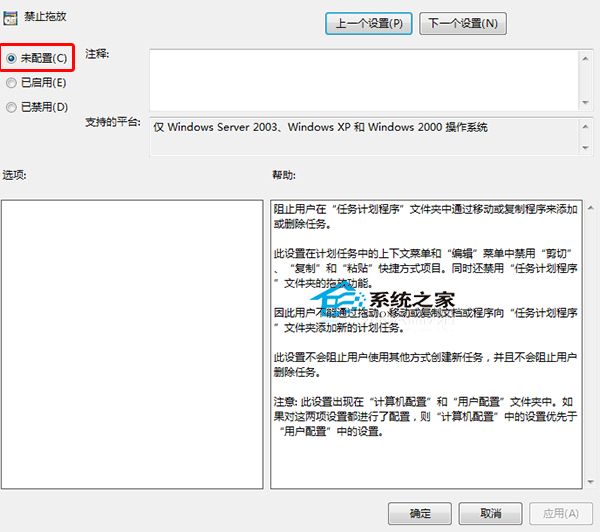
gpedit.msc
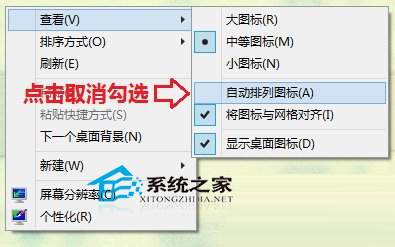
桌面空白處右鍵 → 取消勾選「自動排列圖示」,即可自由拖曳桌面捷徑。
原因 1、4 最常見,建議優先嘗試;重開機亦為通用快速測試方案。
Win10 開始菜單程序文件夾刪除繞路法:ProgramData\Start Menu\Programs 直刪重啟生效
解決 Win10 14295 重複磁碟機代號(同 21211 登錄表修復)
Win10 技巧:在開始功能表置頂最愛應用程式 (利用不可見空格優先排序)
Win10 截圖技巧大全:內建工具、快速鍵、遊戲列
Win10「系統閒置程序」CPU 佔用率極高是正常現象:原理解析與誤區澄清
Windows 10 升級 10041 失敗常見錯誤碼 (0x80070103、8024a000) 完整解決方案
升級 Win10 後螢幕閃爍怎麼辦?停用兩項錯誤回報服務即可修復
Win10 小娜助手是什麼?專為中國市場定制的 Cortana 語音助理