Win7/8.1 升級 Win10 後,桌面持續閃爍、工作列重複重啟,無法正常操作。微軟社區專家 Alex_Shen 指出:Problem Reports and Solutions Control Panel Support 與 Windows Error Reporting Service 兩項服務衝突導致。
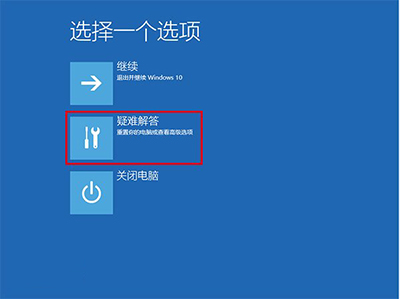
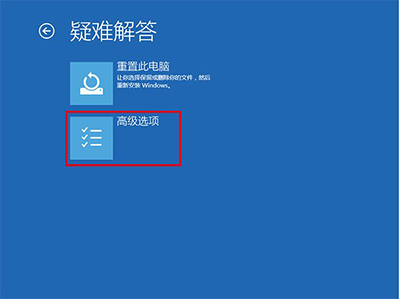
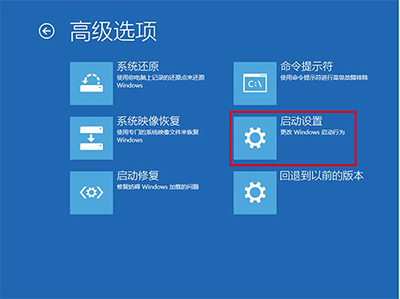
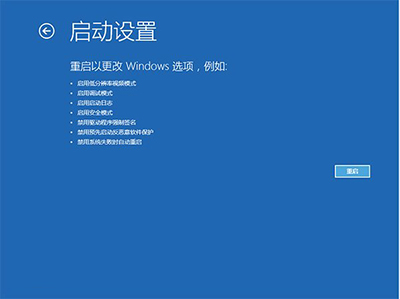
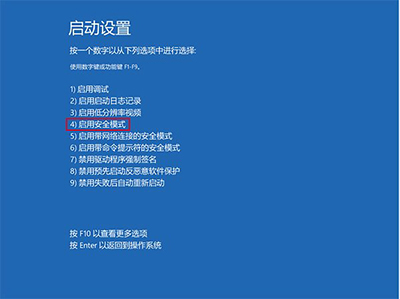
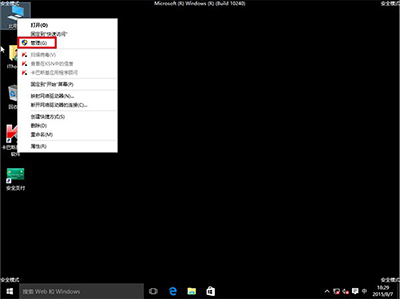
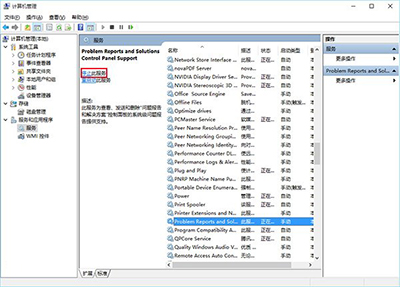
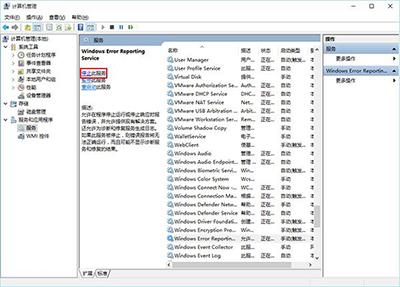
此法亦適用於升級後 Explorer.exe 不斷重啟、工作列閃爍等同類症狀。
Win10 透明化界面關閉方法 (Build 10056 專用):注冊表 EnableTransparency 0→1 重啟 explorer,高風險僅限高級用戶
Win10 免修改註冊表啟用 SATA AHCI 模式:安全模式 + BIOS 切換法
Win10 磁碟 100% 佔用終極解決方案:16 招從服務優化到換 SSD
Win10 如何將常用設定頁面釘選到「開始」功能表?一鍵快速存取隱藏深處的選項
Windows 10 如何串流遊玩 Xbox One 遊戲?五步驟快速設定指南(精簡版)
微軟承諾 Win10 不收年費:免費升級首年後付費升級,升級後終身免費更新