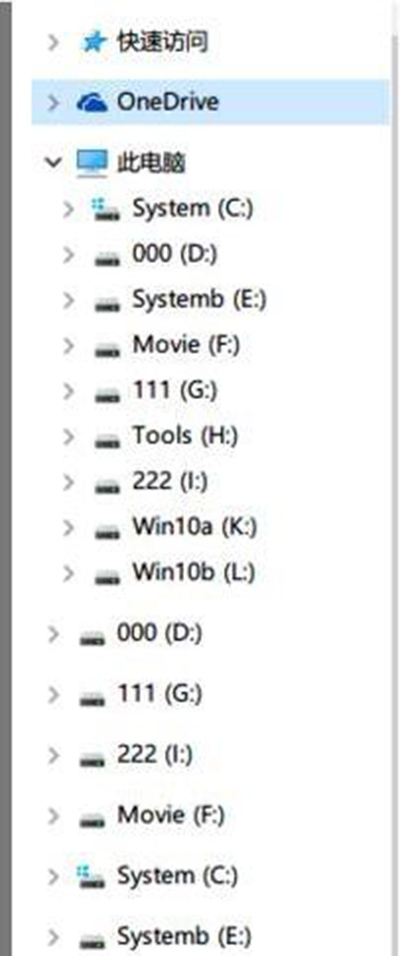
Win10 Insider 14295 出現檔案總管重複磁碟機代號,官方 .reg 登錄檔修復:設定 storahci TreatAsInternalPort 並移除重複 NameSpace 鍵值。
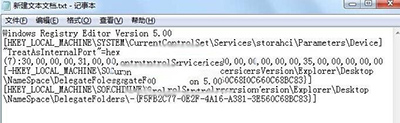
Windows Registry Editor Version 5.00

[HKEY_LOCAL_MACHINE\SYSTEM\CurrentControlSet\Services\storahci\Parameters\Device]
"TreatAsInternalPort"=hex(7):30,00,00,00,31,00,00,00,32,00,00,00,33,00,00,00,34,00,00,00,35,00,00,00,00,00

[-HKEY_LOCAL_MACHINE\SOFTWARE\Microsoft\Windows\CurrentVersion\Explorer\Desktop\NameSpace\DelegateFolders\{F5FB2C77-0E2F-4A16-A381-3E560C68BC83}]
[HKEY_LOCAL_MACHINE\SOFTWARE\Microsoft\Windows\CurrentVersion\Explorer\Desktop\NameSpace\DelegateFolders\{F5FB2C77-0E2F-4A16-A381-3E560C68BC83}]
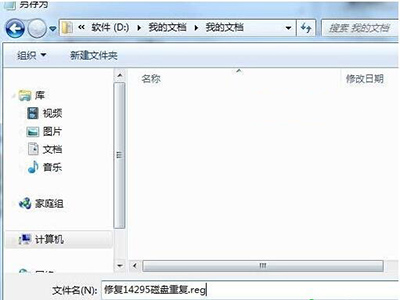
修復14295磁碟重複.reg(所有檔案)