Build 9926 應用商店安裝應用跳出 0x800706d9,通常是防火牆服務未啟動或暫時性網路問題:
0x800706d9
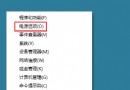
services.msc
若服務正常,可能是暫時性伺服器端問題,取消安裝後重新點擊「取得」下載通常即可成功。
預覽版難免有 Bug,此錯誤非漏洞,多為服務或暫時性因素。
Windows 10 管理鎖定畫面應用程式狀態顯示教學
Windows 10 Build 10240 改進總覽:Edge 瀏覽器效能大幅超越 Chrome
Win10 如何進入/設定開機自動進入平板電腦模式?設定→系統→平板電腦模式選擇登入時自動切換
Win 10 開始選單常用應用如何前置?關閉動態推薦+捷徑加空格排序法
Windows 10 批次重命名檔案技巧:F2 連續命名與 .bat 腳本加前綴
Win10 透過登錄關閉鎖定畫面教學
WinXP 無法開啟控制台?群組原則「禁止存取控制台」啟用導致,兩種方法解除
Win10 升級 10061 卡在 100% 不動?重啟與刪除快取檔雙重解法