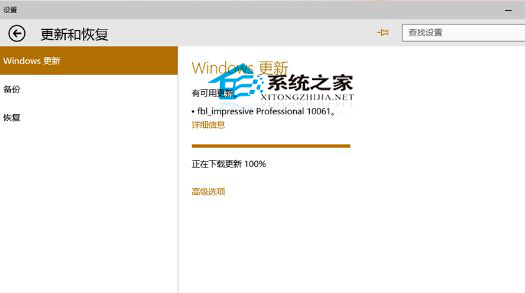
Windows 10 10061 預覽版下載進度條跑到 100% 後停住不動,常見於下載快取檔損毀或寫入受阻。
C:\Windows\SoftwareDistribution\Download
相關問題: 升級重開機後卡在開機畫面(黑屏轉圈),屬另一錯誤模式,需參考對應教學修復啟動項目或執行系統修復。
Win10 如何查詢錯誤報告尋找解決方案?內建診斷指令教學
Windows 10 設定自動關閉螢幕時間教學
Win10 瀏覽器網頁顯示亂碼/原始碼?群組原則強制設定 User Agent 字串為 MSIE 9.0 修復相容性
Win10 還原回 Win7/Win8.1 完整教學:30 天內可無痛回滾
Win10 虛擬桌面切換技巧:鍵盤、滑鼠、觸控全攻略
Win7/Win8/Win8.1 升級 Win10 後沒聲音?通用驅動修復、組態調整、回滾重裝完整指南
Win10 預覽版產品密鑰獲取官方流程:加入 Windows Insider 計劃自動授權
Windows 10 徹底移除 Fences 軟體:軟媒魔方智能卸載進階教學 (含避坑指南)