升級 Win10 不習慣?微軟提供 30 天「回復」功能,可完整還原至原系統(設定、應用程式、檔案),超過 30 天則需重裝。
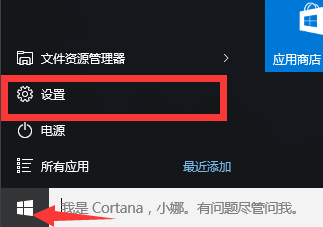
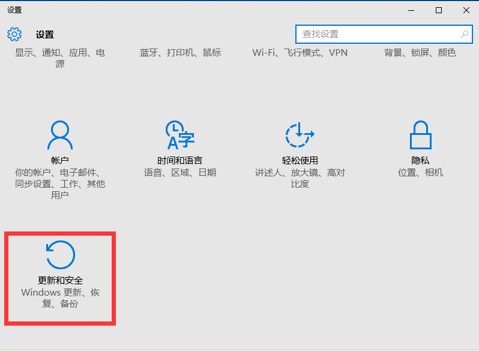
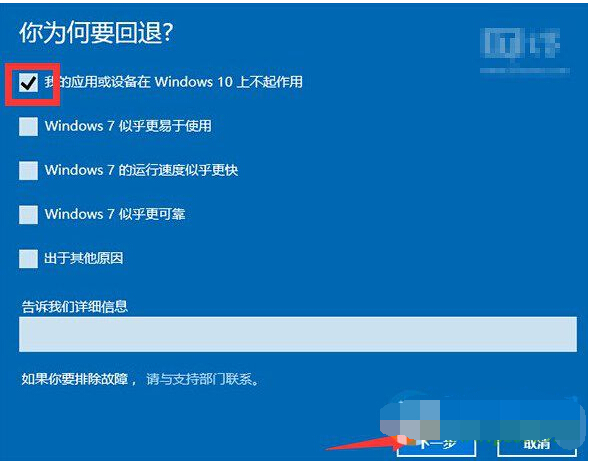
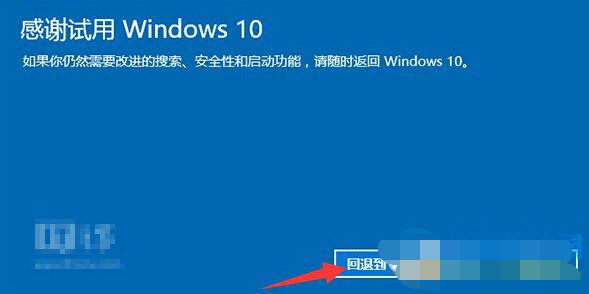
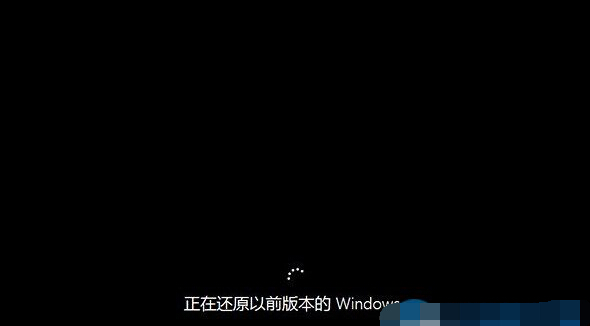
超過 30 天或刪除 Windows.old 資料夾後無法使用此功能,請把握時間決定。
Windows 10 滑鼠喚出 Charms 列:PopCharms 小工具讓右側邊緣手勢回歸
Win10 無法啟動 Windows 安全中心服務?啟用 Security Center 服務一鍵修復
解決 Windows 10 Insider Preview 10159 升級失敗:五大常見原因與對策
Edge 匯入 IE 我的最愛完整教學:正常匯入 + 失敗救援方案
Win7/Win8.1 關閉 Windows 10 免費升級提示(解除安裝 KB3035583 並封鎖 GWX)
Win10 Insider 預覽版退出計畫升級正式版:停用預覽體驗成員資格步驟